

Key takeaways
- Panning places sounds across the left and right sides of a mix, helping create space, width, and a more immersive listening experience.
- Core elements like kick, bass, and lead vocals usually stay centered, while supporting parts such as guitars, synths, percussion, and backing vocals can be spread wider.
- Good panning improves clarity by reducing clutter, but it works best when combined with volume balance, EQ, reverb, delay, and mono checking.
- Advanced techniques like automation, mid/side processing, LCR panning, and auto-panning can add movement and depth when used with restraint.
- ACE Studio can support the process before mixing by helping producers shape vocals, choirs, AI instruments, stems, and prompt-based layers before placing them in the stereo field.
What is panning in music?
Panning is one of the simplest tools in music production, but it has a major impact on how your track feels. At its core, panning places sounds across the stereo field—left, right, or anywhere in between. Instead of everything coming from the center, you spread elements out to create space and dimension.
Think of your mix like a stage. The vocal sits in the center, a guitar leans left, a synth fills the right. This makes the track feel wider, clearer, and more natural. The goal isn’t just separation—it’s clarity and balance. When each sound has its place, the mix becomes easier to hear and more engaging.
Why is panning important?
Without panning, everything sits in the center—and that quickly becomes a problem. When too many elements share the same space, the mix starts to feel crowded and unclear.
Panning solves this by spreading sounds across the stereo field, giving each element room to breathe. Even small adjustments can make a noticeable difference. For example, slightly shifting hi-hats or percussion to one side can instantly reduce overlap with vocals or lead instruments.
In real-world mixing, panning is often one of the first tools engineers reach for—not EQ. If two sounds are clashing, separating them in space is usually faster and more transparent than cutting frequencies out of both. It’s a simple move, but it can clean things up immediately.
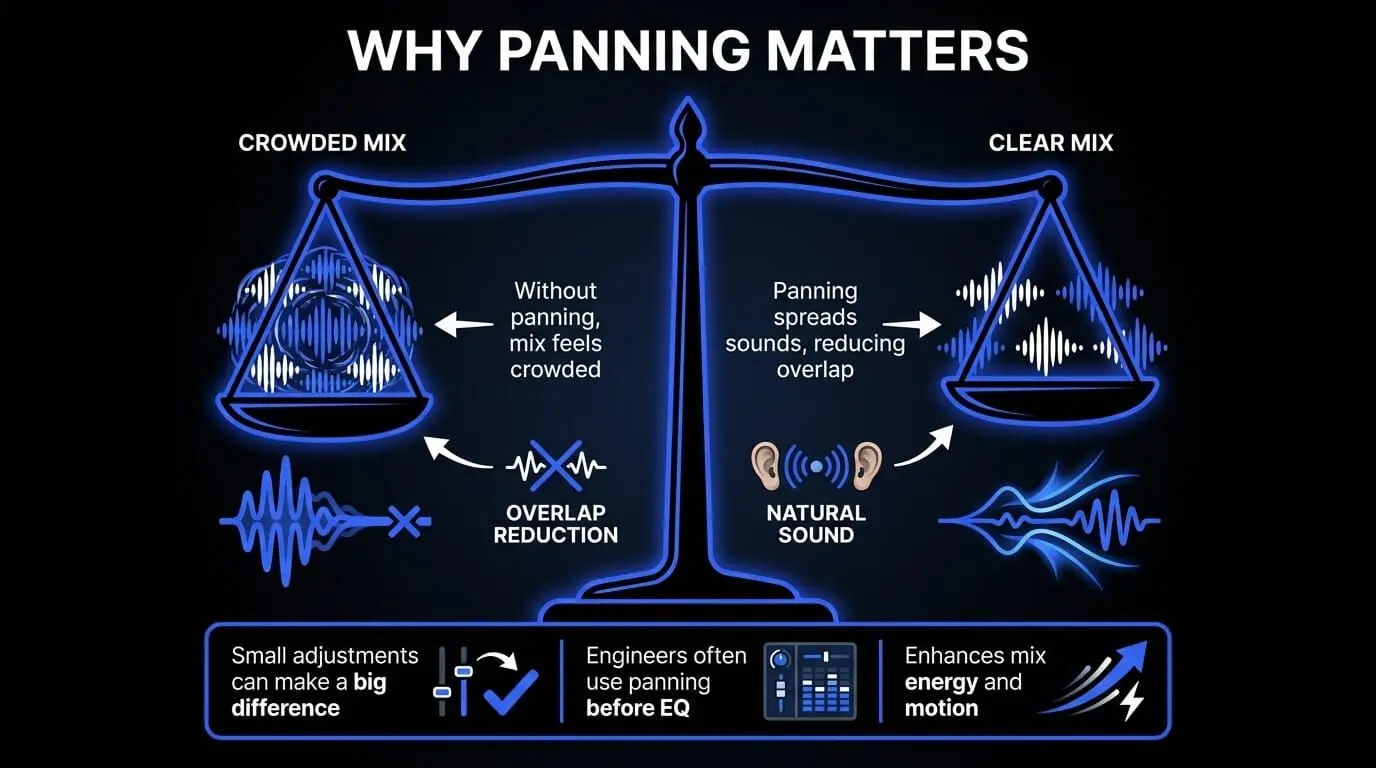
It also mirrors how we naturally hear sound. In real life, sounds come from different directions, not a single point. A mix that reflects this feels more open and realistic, even if the effect is subtle.
Beyond clarity, panning plays a role in energy and movement. In electronic music, for example, producers often automate panning on effects or percussion during transitions. That small sense of motion can make a build feel more dynamic without adding new elements.
There’s also a psychological side to it. When everything is centered, the listener has to work harder to separate sounds. When elements are spaced out, the mix feels easier to follow—and often more “professional,” even if nothing else changed.
How does panning work?
To understand panning in practice, it helps to think about how we hear sound. Your brain determines direction based on tiny differences in timing and volume between your ears. Panning recreates this effect artificially inside your speakers or headphones.
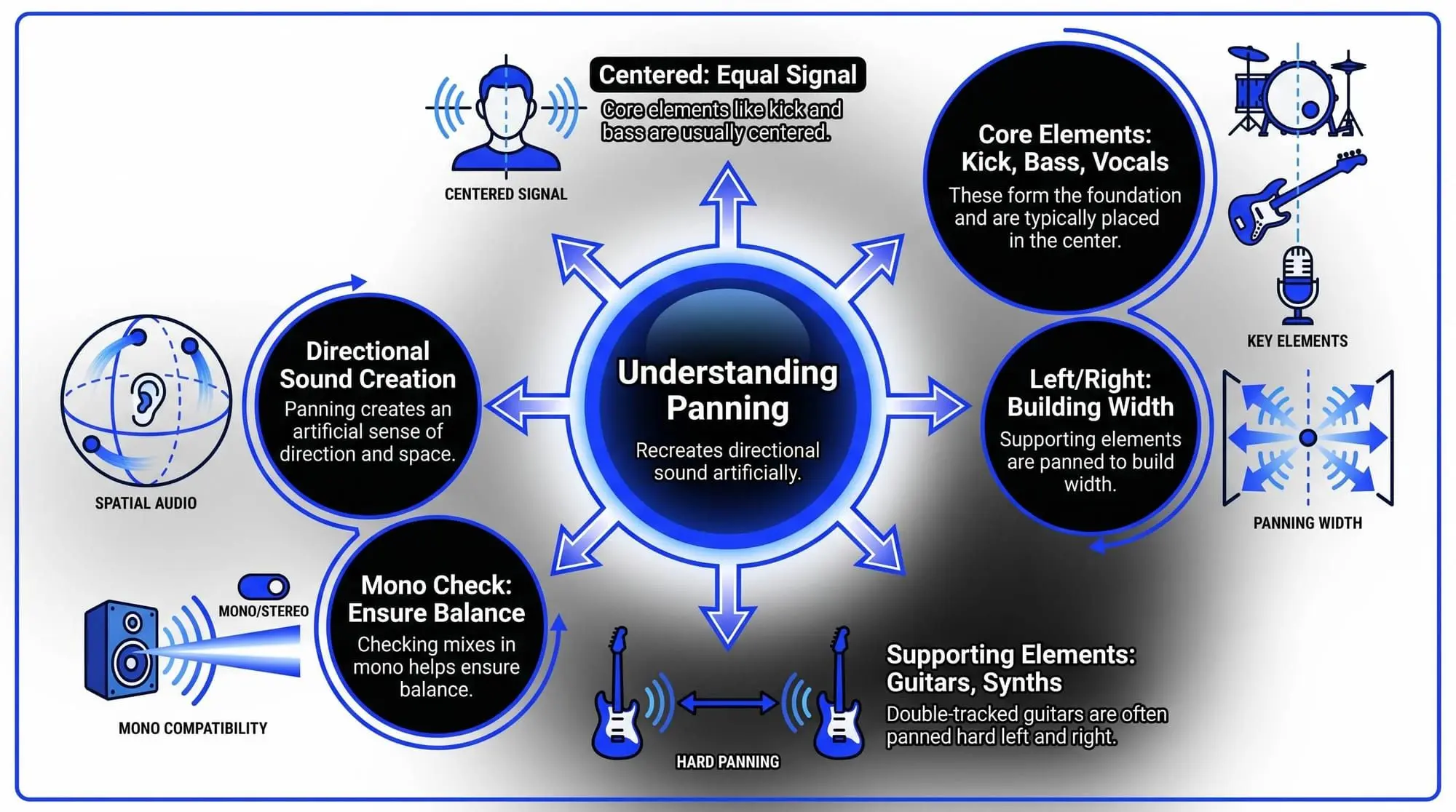
Inside a DAW, this is controlled with a simple pan knob, but the result is powerful. Center means equal signal in both ears, while moving left or right shifts that balance.
Where things get interesting is how professionals apply it.Most mixes keep the core elements—kick, bass, and lead vocal—dead center. This creates a strong, stable foundation. From there, supporting elements are placed around that center to build width.
For example:
In rock, double-tracked guitars are often panned hard left and right to create a wide, powerful sound.
In electronic music, elements may move across the stereo field over time to add motion.
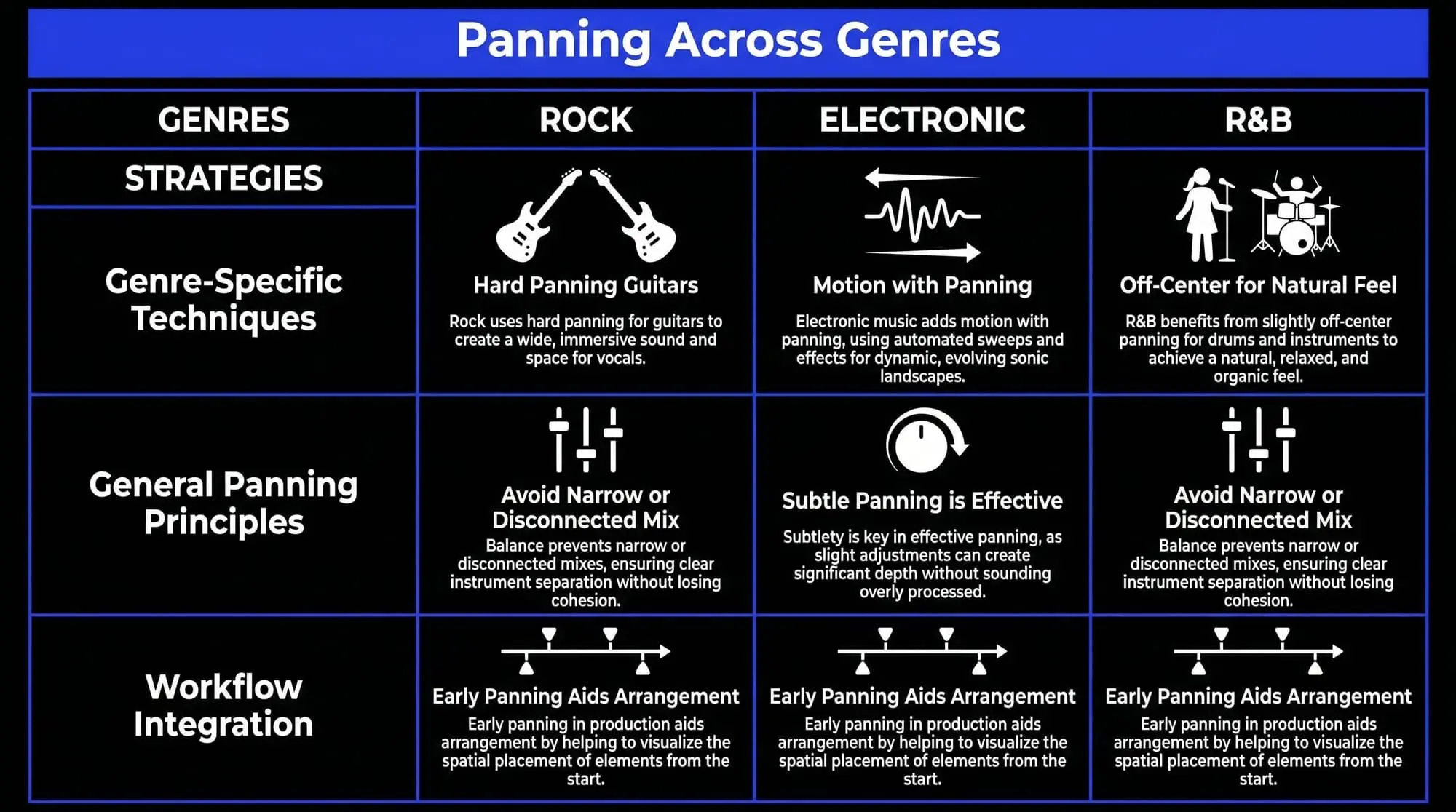
Panning also shapes how “big” a mix feels. Too much center makes it narrow and crowded. Too much width can make it feel disconnected. The goal is balance.
A common habit among engineers is checking the mix in mono. If something disappears or feels weak, it usually means the stereo placement needs adjustment—especially important for club systems and mobile playback.
Another subtle detail: extreme panning isn’t always the answer. Slightly off-center placement often feels more natural, especially in genres like R&B or lo-fi.
Basic principles of panning
Good panning starts with balance. In most mixes, foundational elements—kick, bass, and lead vocal—stay centered. This keeps the track grounded and ensures it translates well across different systems.
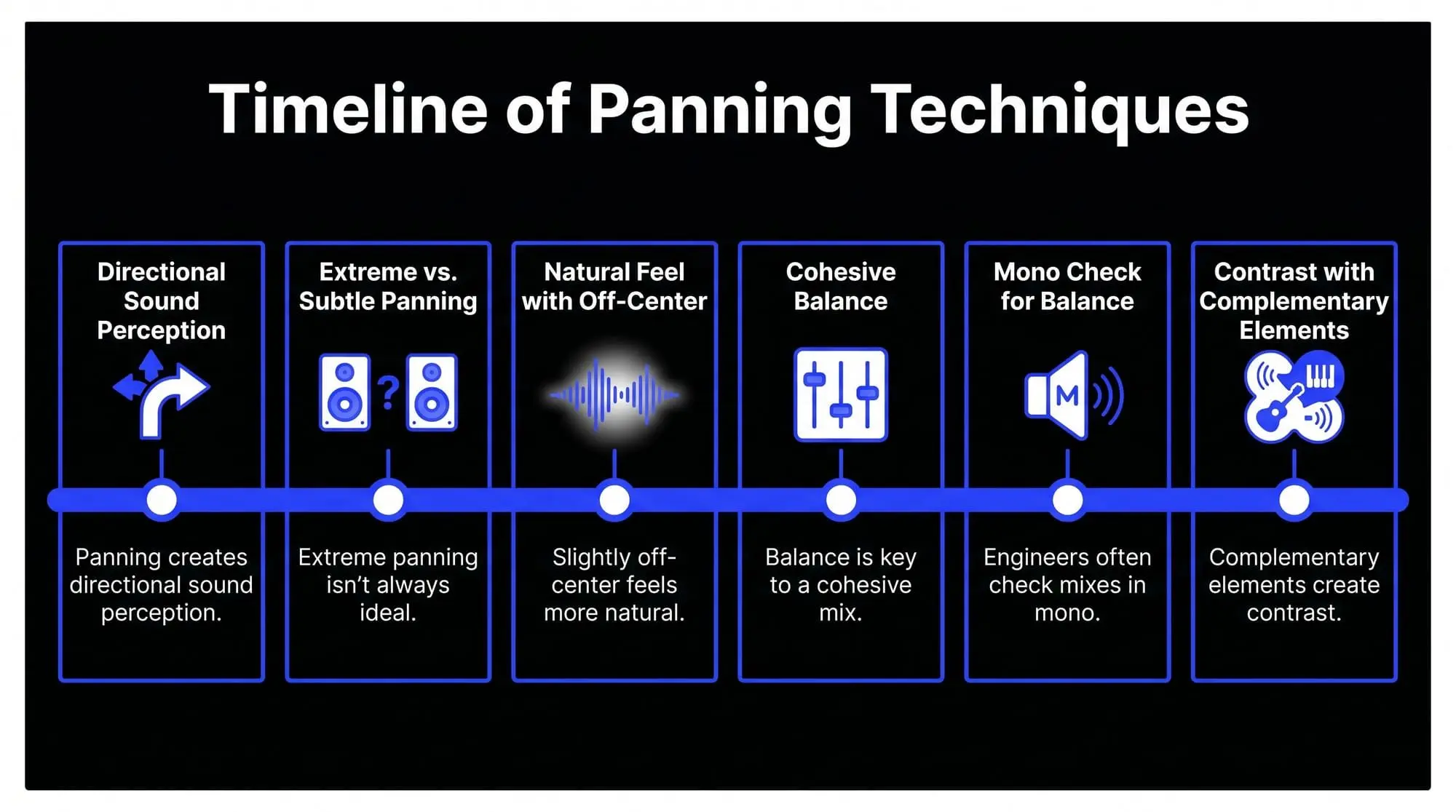
From there, other elements are spread out to create width. Hi-hats, guitars, synths, and background layers are often placed slightly left or right, making each part easier to hear without relying too much on EQ or volume.
A useful way to think about this is contrast. If everything is centered, nothing stands out. But when some elements are off to the sides, the center feels stronger and more defined.
Balance doesn’t mean mirroring. Instead of placing identical sounds on both sides, producers often use complementary elements. A guitar on the left might be balanced by a piano or pad on the right.
In practice, subtlety is key. Beginners tend to pan too aggressively, but small movements are often enough to open up a mix while keeping it cohesive.
Many producers also start panning early in the process. Rough placement during production helps avoid buildup in the center and makes arrangement decisions clearer.
Advanced panning techniques
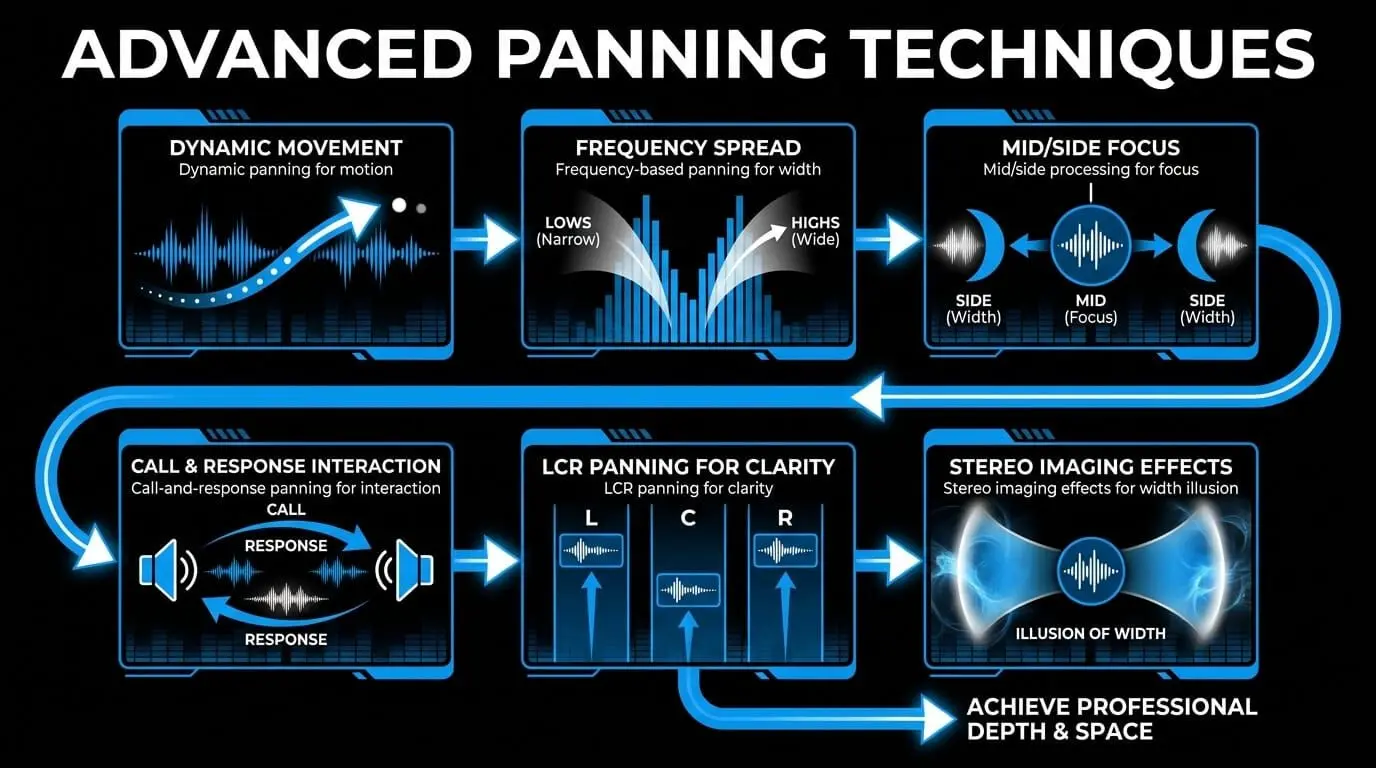
Once you understand the basics of what panning is, the next step is learning how professionals use it to create depth, movement, and realism. Advanced panning is not just about placing sounds left or right. It is about shaping how the listener experiences space over time.
Dynamic panning
One of the most widely used techniques in modern production is dynamic panning, where a sound moves across the stereo field instead of staying fixed. This is often done through automation inside a DAW. Rather than keeping a synth locked in one position, a producer might slowly shift it from left to right during a build-up.
This creates a sense of motion that keeps the listener engaged without adding more elements. You can hear this type of subtle stereo movement in productions by artists like Tame Impala, where shifting textures help tracks feel dreamy, wide, and constantly evolving.
Frequency-based panning
Frequency-based panning means placing different frequency ranges of the same sound in different parts of the stereo field. Instead of panning an entire instrument, producers might keep the low frequencies centered while spreading the higher frequencies outward.
This keeps the mix tight and punchy while still making it feel wide. It is especially useful because low-end elements like kick and bass usually need to stay focused for power and clarity, especially on large sound systems.
Mid/side processing
Mid/side processing allows you to treat the center of the mix and the sides separately. The “mid” contains the information in the center, while the “side” contains the stereo information.
Engineers often use this technique to widen pads, reverbs, or ambient textures while keeping key elements like vocals, kick, and bass anchored in the middle. This creates a mix that feels expansive without losing focus. Many modern pop and electronic mixes use this approach to achieve a wide but controlled sound.
Call-and-response panning
Call-and-response panning is a more creative technique where different elements alternate positions in the stereo field. For example, a percussion hit might appear on the left, followed by a response on the right.
This can make the mix feel more conversational and alive, almost like musicians responding to each other in a live setting. You can often hear this in funk, jazz-influenced productions, and modern hip-hop arrangements.
LCR panning
LCR panning stands for Left-Center-Right. Instead of placing sounds gradually across the stereo field, elements are positioned hard left, center, or hard right.
This technique is favored by many professional mixing engineers because it creates a clean, defined mix where every element has a clear place. It can also reduce clutter and make panning decisions feel more intentional.
Stereo imaging effects
Stereo imaging effects can create the illusion of width without moving the original sound too far from its main position. Tools like chorus, delay, and reverb can make a sound feel wider by spreading its effects across the stereo field.
For example, a vocal may stay centered while its reverb or delay spreads left and right. This keeps the main performance focused while adding space and atmosphere around it.
Auto-panning
Auto-panning uses a plugin or built-in DAW effect to move a sound automatically between the left and right channels. This is especially useful for hi-hats, arpeggios, synth textures, and ambient effects.
When synced to the tempo of the track, auto-panning can add groove and rhythmic movement without cluttering the arrangement. It is a simple way to make static sounds feel more energetic.
Using restraint with advanced panning
One thing experienced producers consistently emphasize is restraint. A common mistake is overusing advanced panning techniques, which can make a mix feel chaotic or disorienting.
Subtlety is what separates professional-sounding mixes from amateur ones. Often, the best panning moves are not obvious. They simply make the track feel wider, clearer, and more immersive without distracting the listener.
Checking how panning translates
Another important consideration is how your panning decisions translate across different listening environments. A mix that sounds wide and immersive on headphones might feel unbalanced on speakers if the stereo placement is too extreme.
That is why many engineers regularly switch between headphones, studio monitors, and even car speakers. Checking the mix in different environments helps make sure the panning supports the song everywhere, not just in one listening setup.
Using panning with intention
In practice, advanced panning is less about rules and more about intention. Every decision should serve a purpose, whether that is creating space, adding movement, or guiding the listener’s attention.
When used thoughtfully, these techniques can transform a mix from something flat and static into a living, breathing soundscape that feels immersive and professional.
Panning in film and video production
While panning in music focuses on sound placement, in film and video production it refers to the horizontal movement of a camera from one side to another. Even though the medium is different, the underlying idea is surprisingly similar: guiding the audience’s attention and shaping how a scene is experienced.
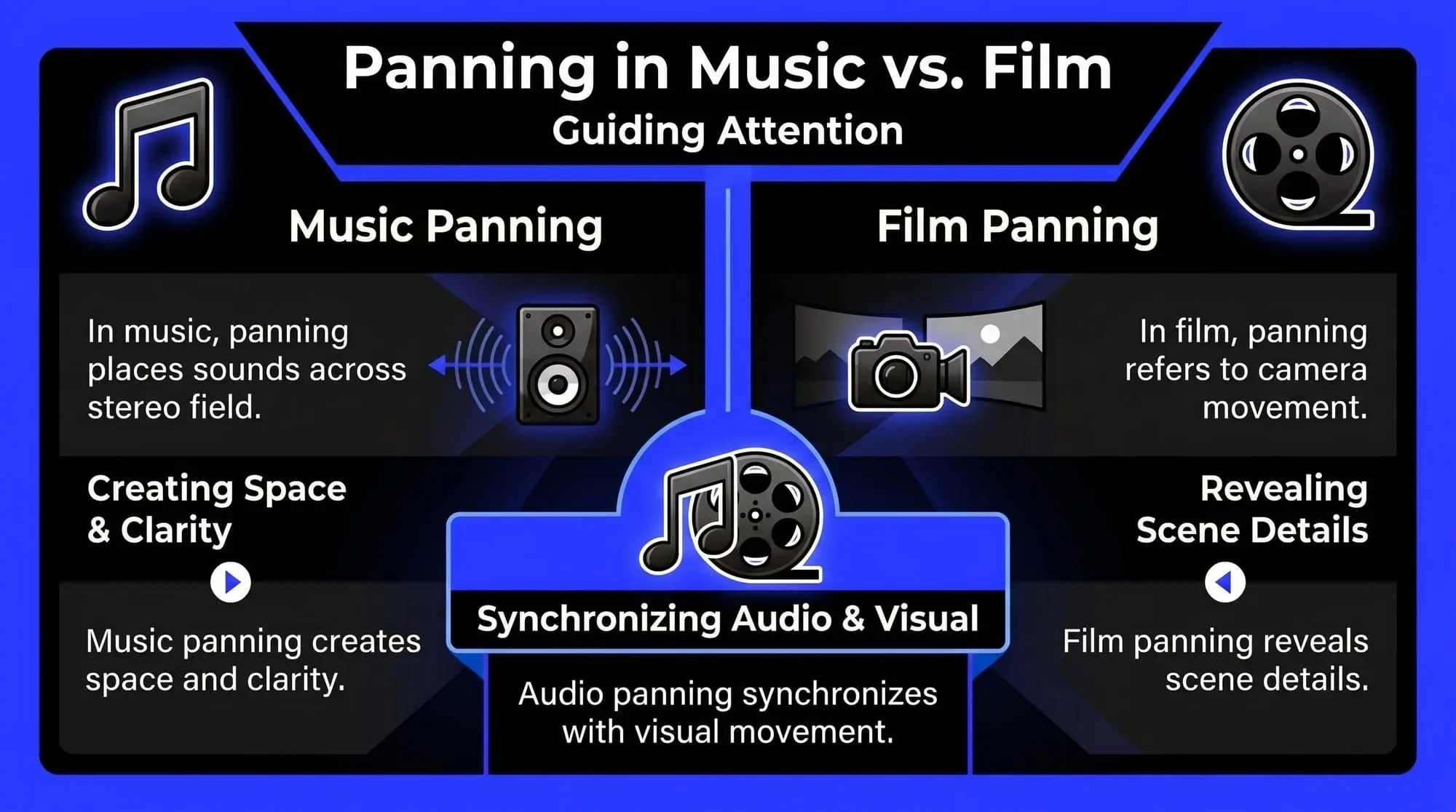
Imagine a scene where the camera slowly moves from left to right, revealing new details as it goes. This is a classic panning shot. It allows the viewer to take in the environment naturally, almost as if they were physically present. In the same way that audio panning places sounds across a stereo field, visual panning places focus across a scene.
Directors often use panning to control storytelling without cutting between shots. A slow pan can build tension, reveal important information, or create a sense of scale. For example, in films directed by Christopher Nolan, panning shots are frequently used to gradually expose key elements in a scene, letting the audience piece things together rather than being shown everything at once. This technique creates a more immersive and engaging experience.
There’s also a strong connection between camera panning and audio panning in post-production. In professional film sound design, audio is often matched to what’s happening visually. If a car moves across the screen from left to right, the sound will follow that movement in the stereo field. This synchronization makes the scene feel realistic and believable. Without it, the illusion breaks—the viewer might not consciously notice why, but something will feel off.
In action scenes, fast panning can create energy and urgency. Think of a chase sequence where the camera quickly tracks movement across the frame. The rapid shift in perspective mirrors the chaos of the moment. On the other hand, slow panning is often used in dramatic or emotional scenes, allowing the audience to absorb details and atmosphere. This is similar to how slow, subtle panning in music can create a calm, immersive soundscape.
Another important aspect is how panning interacts with depth and composition. A well-executed pan doesn’t just move left or right—it reveals layers within the frame. Foreground, midground, and background elements come into view in a controlled way, much like how a well-mixed track reveals different layers of sound through careful panning.
From a practical standpoint, filmmakers have to be precise with panning speed and smoothness. Jerky or inconsistent movement can distract the viewer, just as poorly executed audio panning can make a mix feel unbalanced. This is why tools like stabilizers and tripods are often used to ensure clean, controlled motion.
Interestingly, the concept of panning also extends into modern formats like surround sound and immersive audio. In advanced cinema setups, sound doesn’t just move left and right—it can travel around the audience. This expands on the same principle used in music production, but in a more three-dimensional space.
At its core, whether in audio or video, panning is about direction and perspective. It helps tell a story by deciding where the audience should focus and how they should experience movement. When done well, it feels completely natural—almost invisible—but it plays a crucial role in making both music and film feel alive and immersive.
Tips for effective panning in a mix
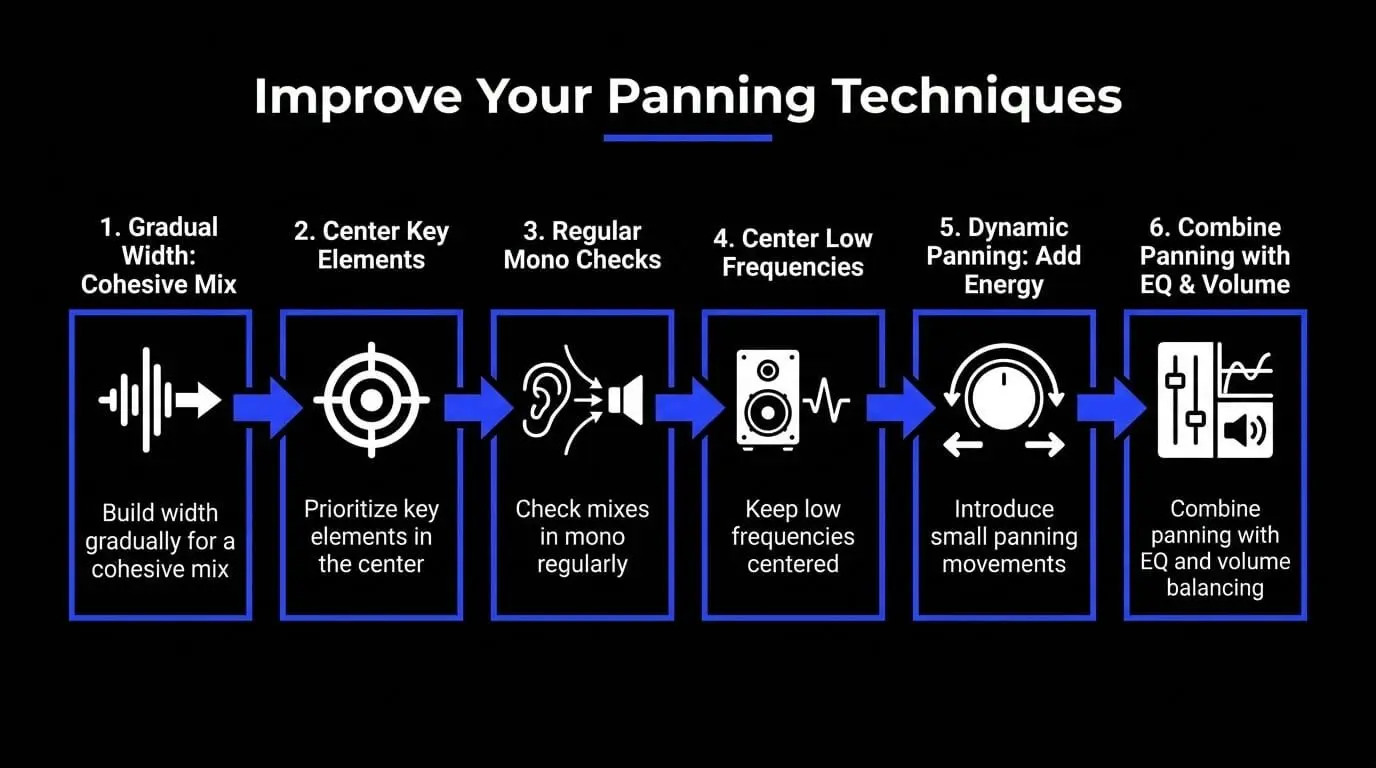
Knowing what panning is gives you the foundation, but using it effectively is what separates a clean, professional mix from something that feels crowded or unfocused. The key is not how much you pan, but why you pan. Every decision should serve clarity, balance, and the overall feel of the track.
Keep your core elements centered
One of the most important habits is keeping your core elements in the center. In most professional mixes, the kick, bass, and lead vocal sit right in the middle. This creates a stable foundation that translates well across different systems, from headphones to club speakers.
If you listen to modern pop productions from artists like Dua Lipa, you’ll notice that no matter how wide the track feels, the vocal usually stays locked in the center, anchoring everything else around it.
Use supporting elements to create width
Once the main elements are stable, supporting sounds can be used to build width. Instead of stacking everything in the middle, spread instruments across the stereo field so each one has its own space.
A simple approach is to balance elements from left to right. If you place a guitar slightly to the left, you might counterbalance it with a piano, synth, or percussion element on the right. This creates a sense of symmetry that feels natural to the listener.
Think of the mix like a stage
A useful mindset is to imagine your mix as a stage. The lead performer stands in the center, while the other musicians are positioned around them. This mental image helps make panning feel more intentional and less random.
Use subtle panning moves
Beginners often push sounds too far left or right, which can make a mix feel disconnected. In many cases, small adjustments are enough to create separation without making the panning obvious.
This subtle approach is especially useful in genres like R&B, lo-fi, and softer pop, where the goal is often to keep the mix smooth, warm, and cohesive.
Pan with frequency balance in mind
Frequency plays a big role in panning. Lower frequencies are usually kept in the center because they provide the foundation of the track and translate better across playback systems.
Higher-frequency elements like hi-hats, percussion, textures, and effects can often be placed wider without weakening the mix. This is why crisp hi-hats or small percussion details are often slightly off-center in hip-hop and electronic music.
Use layering to create natural width
Professionals often create width by layering sounds with panning in mind. Instead of relying on one wide sound, you can stack multiple takes or layers and place them in different positions.
This works especially well with guitars, backing vocals, and synths. For example, recording two takes of the same part and panning them left and right creates a richer, more natural stereo effect than simply widening one track.
Add movement with automation
Panning does not always have to stay static. Automation can introduce small movements over time, helping the mix feel more alive.
For example, a sound might start near the center and gradually move outward during a build-up. Producers like Calvin Harris often use subtle panning automation to keep tracks evolving without making the arrangement feel overcrowded.
Check your mix in mono
Checking your mix in mono is an important habit. It shows whether your panning choices are actually helping or whether important elements lose impact when the stereo image is collapsed.
If a sound disappears or becomes much weaker in mono, your stereo placement may be too extreme or too dependent on phase differences. A mix that works well in mono will usually sound even better in stereo.
Test your mix on different systems
A panning choice that sounds balanced on headphones might feel uneven on speakers. That is why it’s useful to test your mix across different playback systems, including headphones, studio monitors, phone speakers, and car speakers.
Switching between listening environments helps you catch balance problems early and make more reliable decisions.
Know when not to pan
One of the most overlooked tips is knowing when not to pan. Not every element needs to be spread across the stereo field. Sometimes keeping sounds closer to the center creates a stronger and more focused mix.
The goal is not to make everything wide. The goal is to make every sound clear, balanced, and intentional.
Common mistakes and how to avoid them
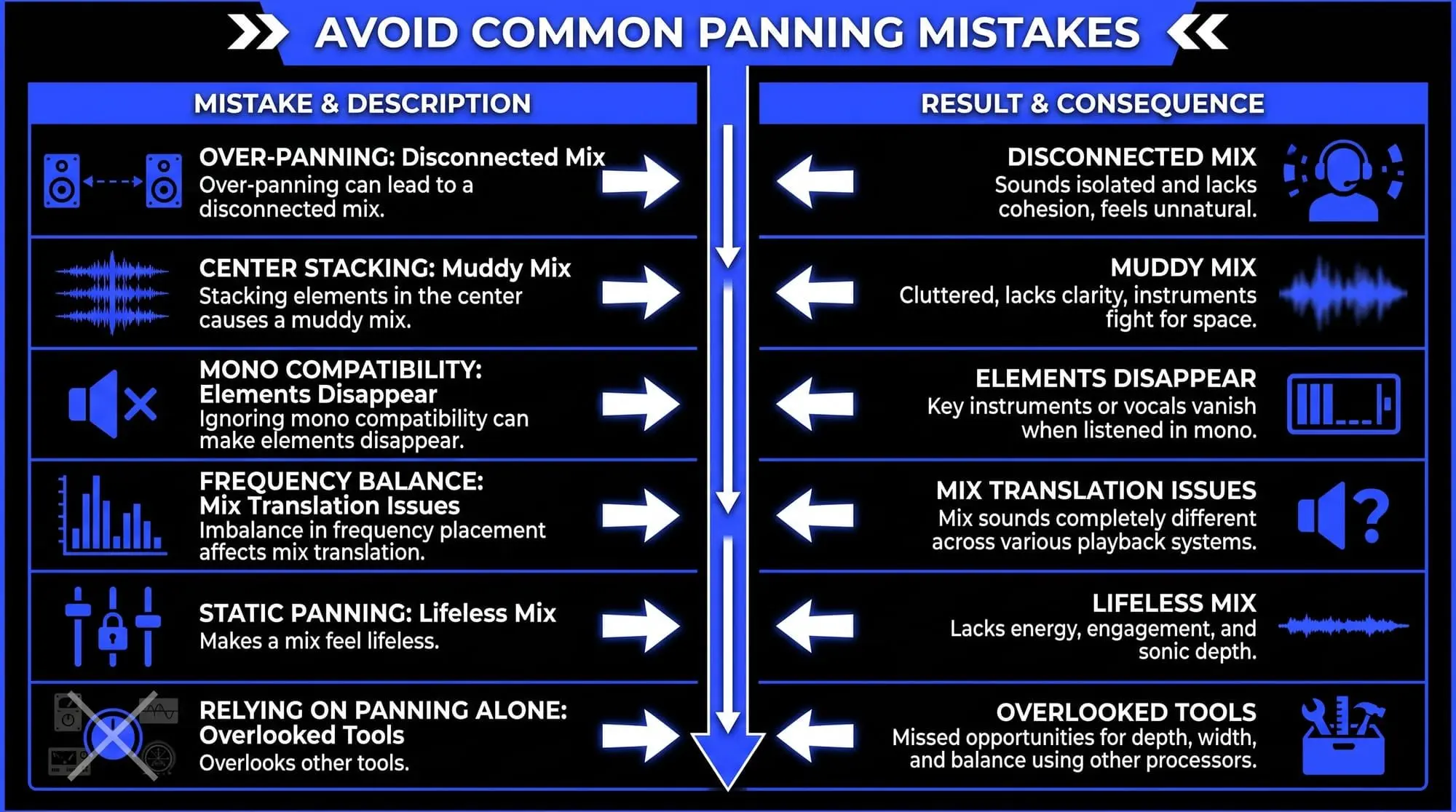
Even though panning is one of the simplest tools in music production, it’s surprisingly easy to misuse. Many of the issues producers run into aren’t about not knowing what panning is—they come from overdoing it or using it without intention.
Over-panning too many sounds
One of the most common mistakes is over-panning. It’s tempting to push sounds hard left and right to create width, but doing this too often can make a mix feel unnatural and disconnected. Instead of sounding wide, the track starts to feel like its elements are separated from each other.
A better approach is to build width gradually. Use a mix of subtle and more extreme placements so the song still feels spacious without losing cohesion.
Keeping too many elements in the center
Another common issue is stacking too many sounds in the middle of the mix. While key elements like kick, bass, and vocals usually belong in the center, overcrowding that space can make the mix feel muddy and unclear.
This often happens in beginner productions, where every sound feels important. The solution is to prioritize. Decide what truly needs to be front and center, then move supporting elements outward to create more space.
Ignoring mono compatibility
A mistake that often goes unnoticed is ignoring mono compatibility. A mix might sound wide and impressive in stereo, but when played in mono, important elements can disappear or lose impact. This can happen on phones, club systems, Bluetooth speakers, or other playback setups.
Professional engineers regularly check their mixes in mono to make sure the most important parts of the track still come through clearly.
Panning low frequencies too far from the center
Panning also needs to work with frequency balance. Placing too much low-end information off-center can weaken the mix and cause translation problems on larger sound systems.
This is why low frequencies are usually kept centered, while higher-frequency elements are used to create width. Bass-heavy sounds need stability, while brighter sounds can often handle wider placement.
Leaving every sound in a static position
Static panning is not always wrong, but keeping every sound fixed throughout the entire track can make a mix feel lifeless. Small movements during transitions, build-ups, or breakdowns can add energy and keep the listener engaged.
The key is moderation. Too much panning automation can become distracting, so movement should support the track rather than pull attention away from it.
Relying only on panning to create space
Many producers also rely too heavily on panning alone instead of combining it with tools like EQ, volume balancing, and arrangement. Panning can help create separation, but it cannot fix every clash in a mix.
If two sounds compete in the same frequency range, simply moving one to the side may not solve the issue. You still need to shape the sounds so they complement each other.
Listening with intention
Avoiding these mistakes comes down to intentional listening. Instead of asking, “Where should I pan this?”, it’s more useful to ask, “What role does this sound play, and where should it sit to support the mix?”
Tools and software for panning
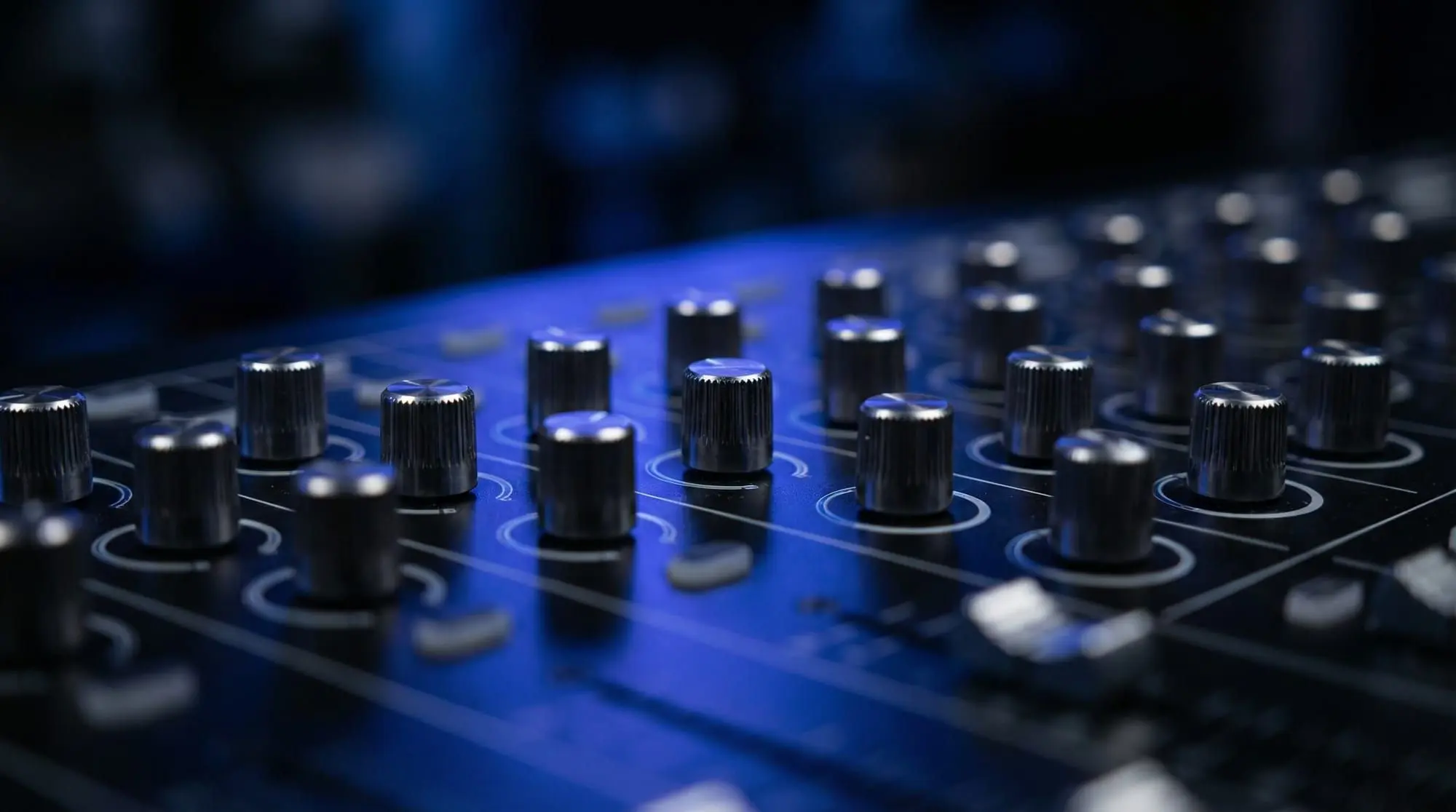
Every DAW includes basic panning controls, and for many mixes, the standard pan knob is enough to place sounds across the stereo field. However, more advanced tools can give you greater precision. Stereo imaging plugins help adjust width, while tools like FabFilter Pro-Q 3 allow frequency-specific panning, letting you position different parts of a sound more independently.
Auto-pan plugins can add movement, and mid/side processors give you more control over what sits in the center and what spreads to the sides of the mix. Reverb and delay also play an important role because even a centered sound can feel wider when its effects are spread across the stereo field.
Still, the tools themselves don’t make the mix. They simply give you more options. The most important part of panning is making intentional decisions that support the song, the arrangement, and the listener’s sense of space.
How ACE Studio helps you shape parts before panning
ACE Studio is not a panning plugin in the traditional sense. You would still make most final panning decisions inside your DAW, especially during mixing. But ACE Studio can help earlier in the process, where many stereo decisions actually begin: arrangement, layering, vocal production, AI instruments, and stem preparation.
This matters because panning is not only a mixing move. It starts with deciding what parts belong in the center, what supports the main idea, and what can live wider in the stereo field. ACE Studio 2.0 gives producers more ways to shape those parts before they reach the final mix.
For vocals, you can create singing parts from MIDI and lyrics, then refine pitch, timing, breath, vibrato, phrasing, and emotional delivery. That gives you more control over how a lead vocal or harmony stack sits in the arrangement. The lead might stay centered, while supporting harmonies can later be spread left and right in your DAW for width.
ACE Studio is also useful for backing vocals and choirs. Instead of copying the same vocal take and panning duplicates, you can build layered vocal parts with different AI voices or choir arrangements. This helps create a wider, more natural stereo image because the layers are not perfectly identical. Small differences in tone, phrasing, and delivery often make panned vocals feel fuller and less artificial.
The same idea applies to instruments. ACE Studio 2.0 includes AI Instruments, so you can work with expressive MIDI-based performances rather than only vocal parts. Strings, brass, woodwinds, and other instrumental layers can be shaped before mixing, then placed across the stereo field with more intention. For example, a string layer might support the center of the track, while a second instrumental texture sits wider to create depth.
ACE Studio also includes tools like Stem Splitter and Audio to MIDI, which can help when you are working from existing audio. If a rough demo feels crowded, separating stems or converting a musical idea into editable MIDI can make it easier to rebuild the arrangement and decide what should stay centered, what should move outward, and what should be removed entirely.
The important point is that ACE Studio does not replace your mix decisions. It gives you cleaner, more flexible material to work with before you start panning. You still decide where each sound belongs. You still shape the balance. You still check the mix in mono and test it across speakers. ACE simply gives you more control over the performances and layers that become part of that stereo picture.
A simple workflow might look like this:
- Create or import a vocal, choir, or instrument part in ACE Studio.
- Refine the performance so the timing, phrasing, and expression feel right.
- Export the part or connect it with your DAW through ACE Bridge.
- Place the sound in the stereo field using your DAW’s pan controls, stereo tools, reverb, delay, and automation.
- Check the full mix in stereo and mono to make sure the width supports the song.
This makes ACE Studio especially useful for producers who want more than static loops or fixed samples. You can shape the musical part first, then make better panning choices because the arrangement itself is clearer.
Prompt-Based Options in ACE Studio
ACE Studio 2.0 also includes prompt-based Generative Kits, which can help when a track feels too empty, too narrow, or underdeveloped. Instead of adding random parts, you can describe the kind of layer you need, such as a soft background texture, a subtle rhythmic layer, or a supporting instrumental idea. From there, you decide whether the result fits the song, edit what needs refinement, and place it in the stereo field during mixing. Used this way, prompting is not about letting the software finish the track for you. It is a way to explore supporting ideas faster while keeping the final creative decisions in your hands.
Does panning reduce volume?
Panning doesn’t reduce the actual volume of a sound—it changes how it’s distributed between speakers. However, it can affect perceived loudness. Centered sounds feel stronger because they hit both ears equally, while panned sounds feel more localized.
Most DAWs use “pan law” to compensate for this, but small level adjustments are still common after panning. In many cases, a sound feels quieter simply because it’s no longer competing with everything in the center—which actually improves clarity.
Final thoughts
Panning is simple in concept but powerful in practice. It’s not just about left and right—it’s about space, balance, and how a listener experiences your track.
What separates professional mixes isn’t extreme techniques—it’s intentional decisions. Knowing why a sound is placed where it is, and how it interacts with everything else. Over time, this becomes instinctive. You start hearing space differently and making more confident choices. And when it’s done right, panning can completely transform how your music feels.
Frequently Asked Questions About Panning in Music
Should every sound in a mix be panned?
No, not every sound needs to be panned. Most professional mixes keep important elements like the kick, bass, and lead vocal in the center. Panning is usually used for supporting sounds such as guitars, percussion, pads, and background vocals to create width and separation.
How far should I pan instruments?
There is no fixed rule. Some instruments only need a small movement off-center, while others can be placed hard left or right. Many beginners on production forums ask this, and the common advice from engineers is to pan based on what the mix needs rather than using the same positions every time.
Why does my mix sound unbalanced after panning?
A mix can feel unbalanced when too many important sounds are placed on one side. Good panning usually creates a sense of balance across the stereo field. If one side feels heavier, try placing another complementary sound on the opposite side to restore stability.
Can panning make a mix sound wider?
Yes, panning is one of the easiest ways to create width. By placing sounds in different positions between the left and right speakers, the mix feels more spacious. However, width should be used carefully because too much can make the track feel unnatural.
Should low frequencies be panned?
Most engineers keep low-frequency sounds centered. Bass and kick drums usually stay in the middle because low-end energy translates better across speakers that way. Panning low frequencies can sometimes make the mix feel weak or unstable.
Why do my headphones make the panning sound stronger than speakers?
Headphones separate the left and right channels more clearly because each ear hears only one side. Speakers blend sound naturally in the room, so panning often feels less dramatic. This is why many producers check both headphones and monitors while mixing.
What is auto-panning?
Auto-panning is when a sound moves automatically between the left and right channels over time. Producers often use it on effects, synths, or percussion to create movement and make a mix feel more dynamic without adding extra sounds.
Can panning fix a muddy mix?
Sometimes. Panning can reduce clutter by giving sounds their own space in the stereo field. However, if sounds are overlapping in the same frequency range, EQ and volume adjustments may still be needed alongside panning.
Why does a panned sound sometimes seem quieter?
A sound can feel quieter after panning because it is no longer playing equally in both ears. Many DAWs apply something called pan law to compensate for this, but slight volume adjustments are often needed after moving a sound.
Is panning more important in certain music genres?
Yes, some genres rely on panning more than others. Electronic, pop, rock, and cinematic music often use panning heavily to create width and movement, while genres like mono jazz recordings or older vintage music may use less extreme stereo placement.