

Video to Music Generator

 Drag your video here











video_to_music_2_5_0.video_cta1_eyebrow
video_to_music_2_5_0.video_cta1_headline
video_to_music_2_5_0.video_cta1_body
Why use ACE Studio's video to music generator?

Truly royalty-free, ready for content creators
Use your AI-generated music tracks on YouTube, TikTok, Instagram, and other platforms without worrying about copyright claims. No licensing fees, no attribution required.

Tailor-made background music for your visuals
Our AI analyzes your video's pacing, cuts, and mood so every scene gets a fitting, emotionally aware soundtrack. The music is generated to follow your video — not the other way around.

Faster and more flexible than stock music libraries
Skip generic "music for video" playlists. Instantly generate custom tracks in cinematic, electronic, lo-fi, orchestral, and more styles — perfectly matched to your clip.
How to create music for your video with AI
Step 1
Upload your video –
Drag and drop your clip into ACE Studio. Our AI reads your video file and gets ready to score it. With ACE Studio's video to music workflow, you don't have to cut your edit to match a track — the music is generated to follow your video instead.
Step 2
Choose style & mood –
Tell the AI what kind of background music you need: cinematic, chill, electronic, etc. You're seconds away from a perfect soundtrack custom‑built for your story.
Step 3
Preview & refine –
Regenerate, adjust intensity, or change style until the royalty‑free music fits perfectly. It's like converting your videos into finished pieces with matching music in just a few clicks.
Step 4
Download & share –
Export your video with music or download standalone audio files for editing. Use them in your editor, DAW, or any tool you like.
video_to_music_2_5_0.video_cta2_eyebrow
video_to_music_2_5_0.video_cta2_headline
video_to_music_2_5_0.video_cta2_body
Royalty-free AI music for every kind of video
From music for YouTube and TikTok to music for ads and brand videos, ACE Studio generates background music for video that fits any format.

Product Ads Music
High-Impact Music for Product Ads
Create punchy tracks that highlight your product's energy, rhythm, and key moments. Perfect for eCommerce, social ads, and performance creatives.
Short Films & Vlogs Music
Cinematic Scores for Short Films and Vlogs
Generate orchestral swells, ambient textures, or dramatic builds that make your story feel like it has a real film score.

YouTube & TikTok Music
Upbeat Background Music for YouTube and TikTok
Keep viewers watching with catchy, energetic tracks generated to match your content's pace and vibe — copyright-free and ready to upload.
Corporate Video Music
Branded Soundtracks for Corporate and Marketing Videos
Professional, polished music that matches your brand tone — without the cost or turnaround time of custom composition.
Is the music really royalty free?
Yes. All music generated with ACE Studio is original, royalty‑free music you can safely use as background music in your videos.
Here's what that means:
👍
You can treat it as free music for your own projects, client work, and campaigns, without dealing with complicated music licensing agreements.
⚡️
You can download audio files and reuse them across multiple edits and video files as often as you like.
🙌
You're not tied to traditional music libraries or subscription models that limit how and where you can publish.

Start creating music for your video — free
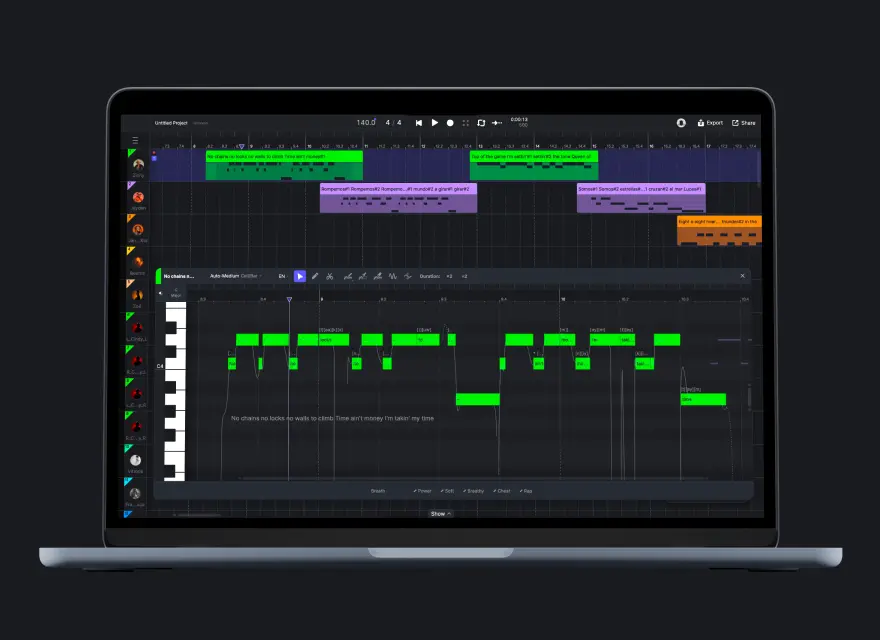
Try the online generator now, or download ACE Studio for the full Video Composer experience with multi-track scoring, SFX, and an AI agent that works with you.
FAQ – Frequently asked questions about music for video
What is the difference between your music for video and traditional stock music?
ACE Studio works the other way around: our AI music generator creates music and sound that adapts to your visuals. You upload your video, choose a style, and get a custom background music track built specifically for that project.
Can I use your royalty‑free music for monetized YouTube videos?
Many content creators currently using traditional stock or services like Epidemic Sound are switching to AI‑generated background music because it's faster, more flexible, and easier to customize to their style.
Is the AI‑generated music for video unique for each project?
You can:
• Generate multiple variations
• Choose the perfect soundtrack for each clip
• Save and reuse audio files wherever you create content
Do I need to credit ACE Studio when using your royalty‑free music?
If you're a content creator who likes to share tools, a line like "Music created with ACE Studio" in your description is always appreciated, but completely optional.
The key point: You remain free to use the music in YouTube videos, TikTok content, ads, and client work with no attribution requirement.
Can I edit the background music for video in my own DAW afterward?
• Download the audio file
• Edit it alongside your video file in any editor or DAW
• Cut, loop, and process the track like any other piece of music and sound
This is especially useful if you want precise control over transitions, builds, and endings in your music for video.
Can I use the music in client and commercial projects?
It's designed for professionals and serious content creators who create content at scale and don't want to worry about ongoing music licensing fees.