AI Sound Effect Generator for Video

 Drag your video here
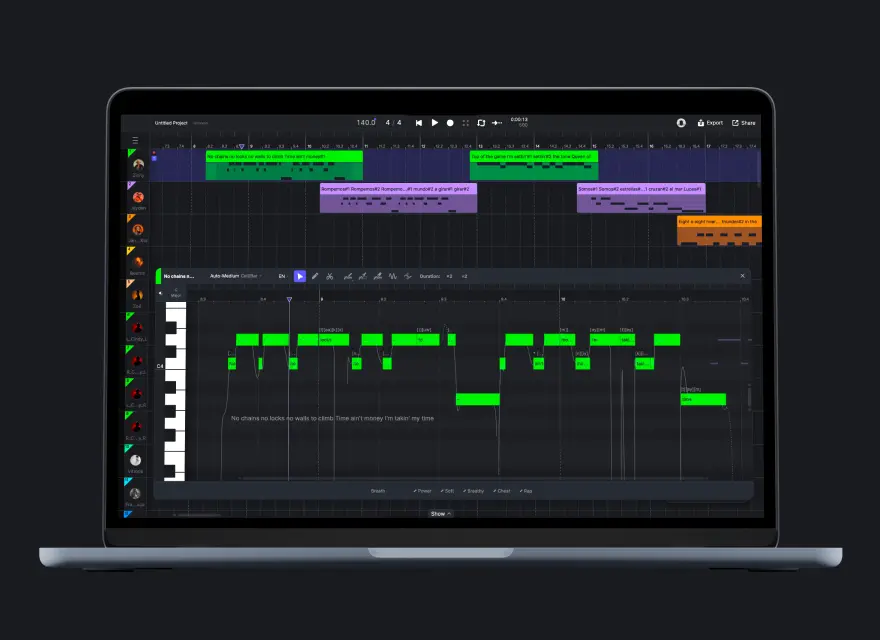
ACE STUDIO DESKTOP
Need Sound Effects AND Music for Your Video?
Video Composer in ACE Studio desktop does both — an AI agent that scores your entire video with music and sound effects together, synced frame-by-frame. Full editing control, unlimited iterations.
Why use ACE Studio to add sound effects to video?

AI that understands your video
Our AI watches your clip and identifies moments that need sound — impacts, footsteps, doors, whooshes, ambience, and more. No manual syncing or timecode editing required.

Royalty-free SFX, ready to publish
Every sound effect generated is original and royalty-free. Use them in your YouTube videos, TikTok posts, ads, games, or any commercial project without licensing concerns.

Faster than searching sound libraries
Stop scrolling through thousands of generic SFX packs. Describe what you need or let the AI detect it automatically — and get perfectly timed sound effects in seconds.
How to add AI sound effects to your video
Step 1
Upload your video
Drag and drop your clip or paste a URL. ACE Studio's AI will analyze the visual content and detect scenes that need sound.
Step 2
Let AI generate sound effects
The AI identifies key moments — actions, transitions, environments — and generates matching sound effects automatically synced to your video's timeline.
Step 3
Preview and adjust
Listen to the results, regenerate individual sounds, or adjust timing. Get exactly the SFX you want for every scene.
Step 4
Download and use
Export your video with sound effects baked in, or download individual SFX files to edit in your DAW or video editor.
FULL PRODUCTION WORKFLOW
Combine music and SFX scoring in one place
This online tool is perfect for quick SFX. For full audio post-production — layered sound design, music scoring, and iterative editing with an AI agent — download ACE Studio and try Video Composer.
AI sound effects for every type of video
Whether you're building a film scene, polishing a vlog, or adding punch to an ad — ACE Studio generates the right SFX for your content.
Short Films
Foley and Action SFX for Short Films
Footsteps, doors, cloth, impacts — generate realistic foley that brings your scenes to life without a recording studio.
YouTube & Social
Transition Sounds for YouTube and Social Content
Whooshes, risers, hits, and stingers that make your cuts feel professional and keep viewers engaged.

Vlogs & Documentaries
Ambience and Environment for Vlogs and Documentaries
Generate background atmospheres — cityscapes, nature, rain, crowds — that make your footage feel immersive.

Product Videos
UI and Motion Sounds for Product Videos
Clicks, pops, glitches, and smooth transitions that make product demos and app showcases feel polished.
AI Sound Effect Generator – FAQ
What is an AI sound effect generator for video?
What kinds of sound effects can it generate?
Can I use the sound effects commercially?
How is this different from Video Composer?
Do I need sound design experience?
What video formats and lengths are supported?

Add sound effects to your video
Try the online AI sound effect generator now, or download ACE Studio for the full Video Composer experience with layered sound design, music scoring, and AI-powered audio post-production.