What Is a DAW? A Beginner’s guide to Digital Audio Workstations
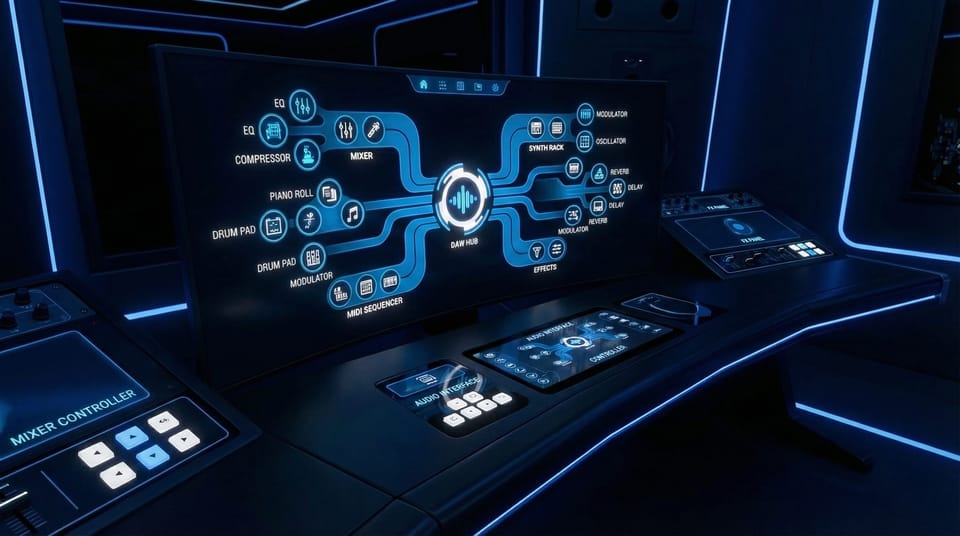
If you’ve ever asked “What is a DAW?”, you’re already closer to finishing music than you think. A DAW – short for Digital Audio Workstation – is the software where most modern songs actually become songs. It’s where you record takes, program drums, stack harmonies, tighten timing, shape tone, automate effects, and export a final master that holds up on headphones, car speakers, and club systems.
A beginner's mistake is thinking the DAW is “recording software.” Recording is part of it, but a DAW is more like your entire studio in one place: tape machine, MIDI sequencer, mixer, effects rack, and arrangement board – all living on a timeline. You can build a track from scratch with virtual instruments, or treat the DAW like a clean workspace for editing vocals and mixing audio you recorded elsewhere.
And here’s the modern reality: your DAW doesn’t have to do everything alone. Many producers use focused tools alongside it – for sound design, vocal production, and idea generation – then bring the results back into the DAW for the decisions that matter: arrangement, balance, space, and emotion. The DAW stays the hub. You stay in control. Everything else is just another instrument in your workflow.
What is a Digital Audio Workstation?
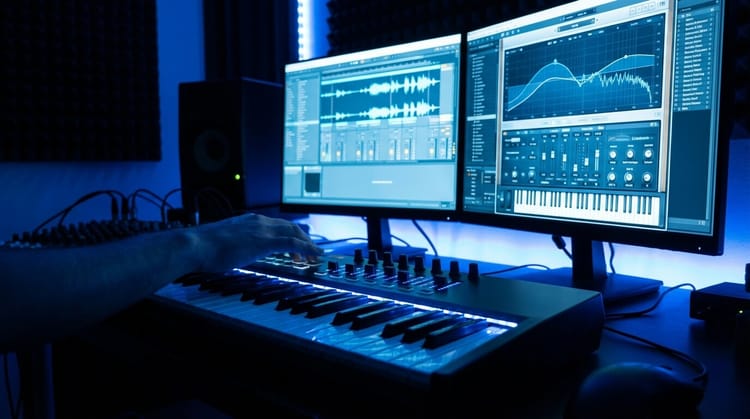
A Digital Audio Workstation (DAW) is a software application that lets you record, edit, arrange, mix, and export audio – often alongside MIDI (note data) used to control virtual instruments. In practical terms, it’s the main environment where producers build sessions: tracks running vertically, time moving left to right, and your whole song living inside one project file.
A DAW typically includes:
- Audio tracks for recordings (vocals, guitar, drums, field recordings, etc.)
- MIDI/instrument tracks for virtual instruments (synths, samplers, drum machines)
- A mixer for volume, panning, routing, sends, and bus processing
- Plugins for EQ, compression, reverb, saturation, pitch tools, and more
- Automation so your mix can move and breathe over time (filter sweeps, vocal rides, delays that bloom only in the chorus)
The reason DAWs matter is consistency. Once you understand the basics – tracks, clips, transport, grid, and routing – you can translate that knowledge between platforms. The interface may look different, but the core idea is the same: you’re building a performance on a timeline, shaping it into a record.
How does a DAW work?
Think of a DAW as three systems working together:
- The timeline (arrangement view) This is where clips live – audio regions, MIDI patterns, and edits. You place verses, choruses, drops, and transitions here. You can cut, copy, stretch, and move parts until the song structure feels inevitable.
- The audio engine Under the hood, the DAW is constantly streaming audio, calculating plugin processing, and keeping everything in sync with the tempo grid. This is why settings like sample rate, buffer size, and latency exist – they affect how smoothly your system plays back and how responsive it feels while recording.
- The mixer (signal flow) Every track flows somewhere: to the master output, to a bus, to a reverb send, into parallel compression, or out to hardware. The mixer is where you build space and hierarchy: what’s forward, what’s behind, what feels wide, what stays tight in the center.
Once you grasp those, the rest is detail. MIDI tracks tell instruments what notes to play. Audio tracks capture real sound. Plugins shape both. Automation makes everything move with intention.
This is also why “workflow companions” exist. You might sketch a part in another tool, then return to the DAW to commit, edit, and mix. That’s not cheating – it’s normal production. The DAW is your final decision-making room: arrangement, sonic choices, and delivery format.
What can you do with a DAW?
A DAW is built for the full lifecycle of a track – from “first idea” to “final export.” Here’s what that looks like in real terms.
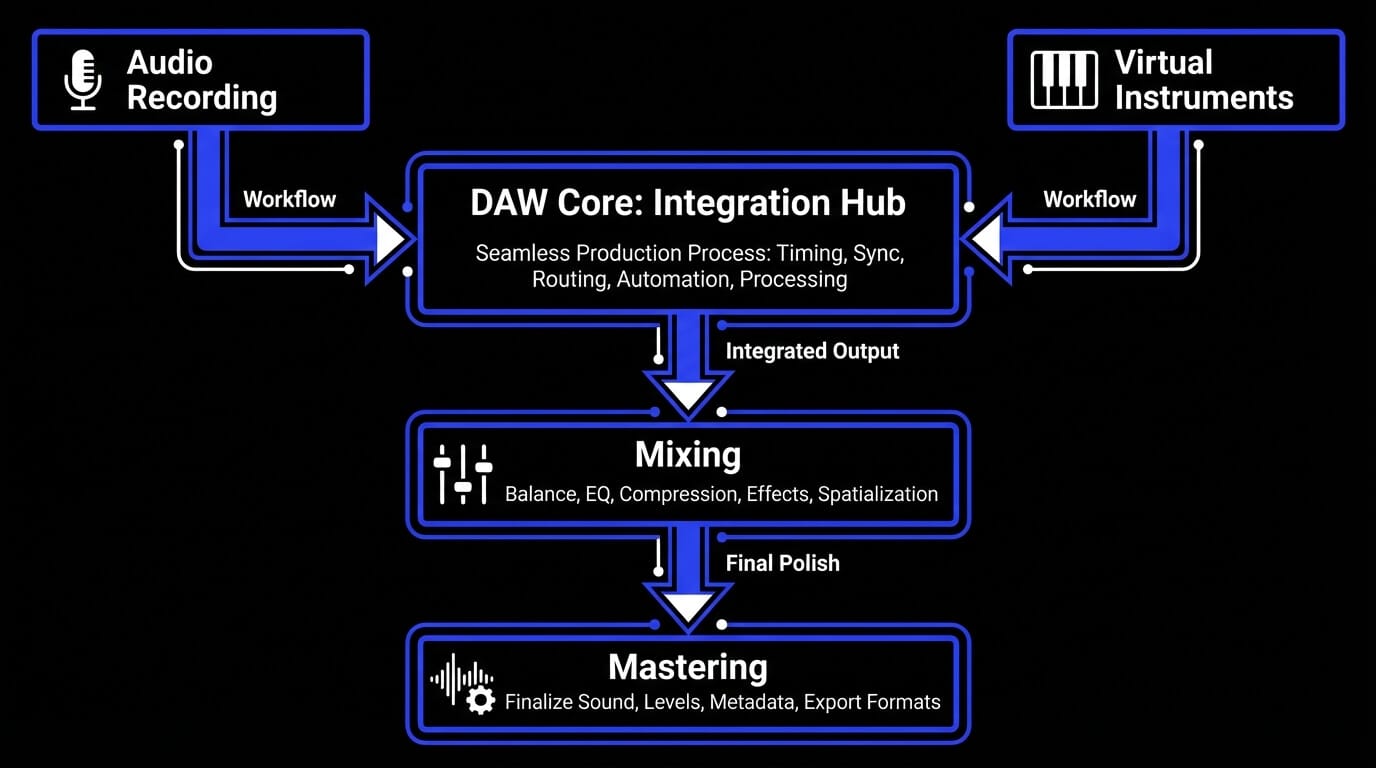
Record audio
You can capture vocals, guitars, synths, drums, Foley – anything you can mic or plug in. A DAW lets you punch in, comp takes, fix timing, and build a clean performance out of real moments. Even if you’re not recording yet, knowing how audio tracks work helps you understand mixing and arrangement faster.
Create music with MIDI and virtual instruments
MIDI is note data – not sound. In a DAW, MIDI controls instruments: synths, samplers, drum machines, orchestral libraries. You can program a beat, write chords, or play a melody on a keyboard, then edit every note’s timing, velocity, and feel.
This is also where modern hybrid workflows live. If you use a tool that generates expressive parts from MIDI (for example, AI instruments or vocal synthesis), you still benefit from writing the musical intent in MIDI first – then refining the result inside the DAW session.
Edit and arrange audio
This is where productions become tight. You can slice, nudge, stretch, fade, and layer until the groove feels right. Arrangement is editing: when the chorus hits, how long the drop breathes, where silence matters.
Add audio effects and plugins
Plugins shape tone and space: EQ for clarity, compression for control, reverb for depth, saturation for weight. You can stack effects per track, or route multiple tracks to shared buses for cohesion.
Mix and master tracks
Mixing is balance plus emotion: what leads, what supports, what sits wide, what stays intimate. Mastering is final polish: level, translation, and consistency across playback systems.
Export music and audio files
A DAW renders your work into deliverables: WAV for mastering, MP3 for demos, stems for collaborators, or full mixes for release. It’s the last step – and it’s why the DAW stays the hub even when you use extra tools upstream.
The core functions of a Digital Audio Workstation
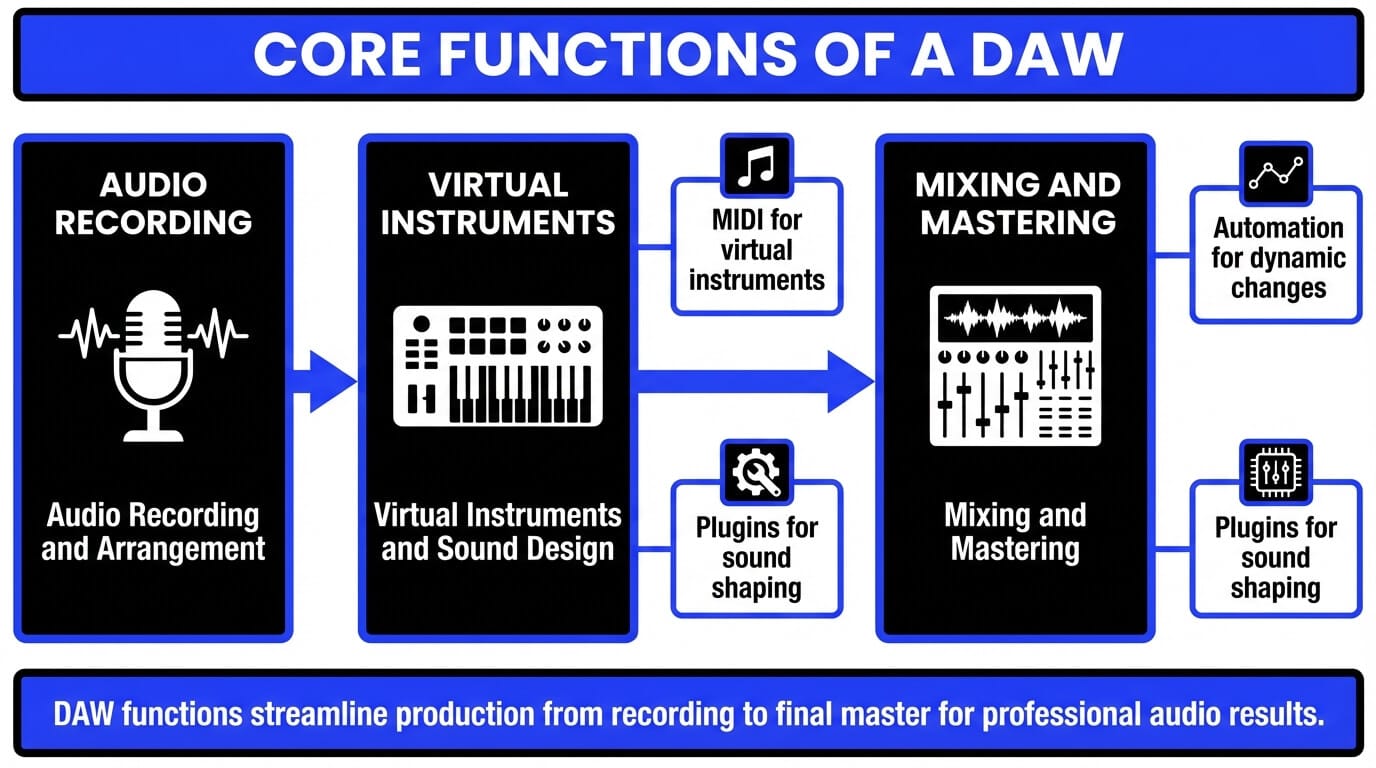
If you strip away brand names and features, every DAW is built around a few core functions. Learn these, and you can move between platforms without starting over.
Audio recording and arrangement
Audio is real sound: recorded vocals, live instruments, samples. Your DAW captures audio to tracks, places it on the timeline, and lets you shape it with edits. Arrangement tools – markers, grids, snap settings, loop regions – help you turn scattered ideas into a structured song.
A good beginner habit: arrange before you obsess. Get a rough verse/chorus layout first. Even a messy arrangement tells you what you need to record next.
Virtual instruments and sound design
Sound design is where a track gets identity. Virtual instruments can be simple (a piano) or complex (wavetable synths, granular samplers). The DAW becomes a control center: MIDI notes trigger the instrument, automation modulates parameters, and effects shape tone.
This is also where “performance tools” can plug into your process. If you can generate an expressive instrument or vocal line from MIDI and then fine-tune it, that becomes another way to design sound – without replacing musical decision-making.
Mixing and mastering
Mixing is the art of making everything fit. You’re sculpting:
- Frequency (what gets space, what gets carved)
- Dynamics (what’s controlled, what’s alive)
- Stereo field (what’s wide vs centered)
- Depth (what feels close vs far)
Mastering is the last pass: translate the mix to real-world listening, manage loudness, and ensure the track holds together across systems. Many beginners try to master too early. The better move is to learn clean gain staging and basic EQ/compression first – mastering becomes easier when the mix is honest.
DAW vs AI Music Tools – where ACE Studio fits in your workflow
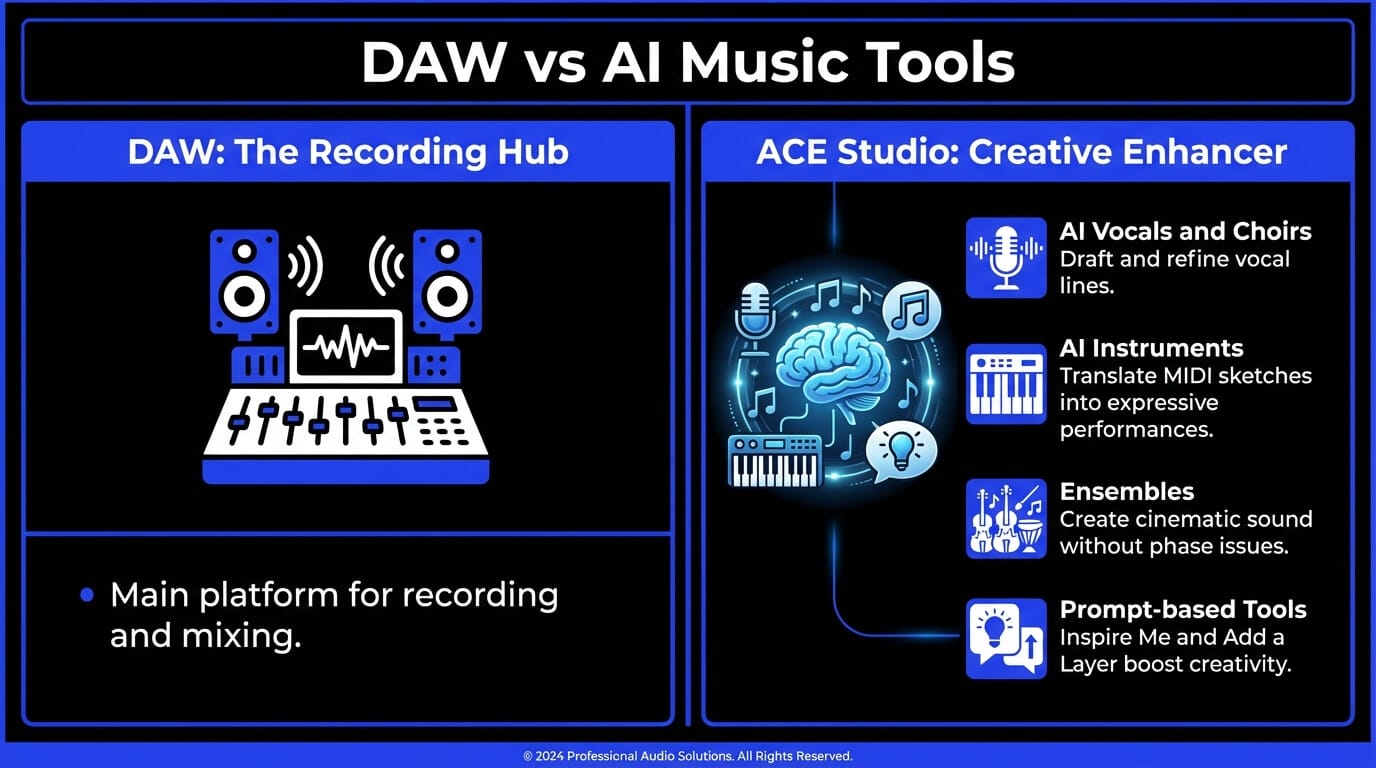
A DAW is still where the record becomes a record. It’s the place you arrange tension and release, ride vocal levels into the chorus, automate the delay throw on the last word, and commit the mix to a single file that feels finished. Even when you use extra tools, the DAW is the room where you make the decisions that listeners actually hear.
ACE Studio fits best as a creative side-room connected to that main space. You step into it when you need to shape a part – vocals, choirs, instruments, stems, MIDI extraction, prompt-based sketches – then you bring the result back into your session and produce it like everything else. The point isn’t “let AI do it.” The point is “give me more ways to sculpt what I already hear in my head.”
AI Vocals, choirs, and voice changing
You’re in your DAW, the track is moving, and you can hear what the topline should do – but you don’t want to stall the whole session waiting for the “perfect” take before you can build the chorus. ACE Studio gives you a producer-friendly way to draft and refine vocals from notes and lyrics, then shape the performance like you would any real part: tighten a phrase, smooth a pitch curve, add a touch of breath where the line needs intimacy, or pull back intensity where it should feel fragile.
The goal isn’t to replace a singer. It’s to keep writing and producing while the song is still warm. When you’re working alongside your DAW, the ACE Bridge plugin helps you audition vocals in context, so you’re making decisions against the actual drums, chords, and mix space – not in isolation.
Once the lead is sitting right, you can build depth the same way you would with real sessions: doubles, harmonies, and choir-style stacks that add width without turning to mush. Small differences matter – timing, spread, density, and phrasing.
And when you want a new color without rewriting the musical idea, Voice Changer is a useful option: keep the rhythm and melody, shift the timbre into another character, then bring it back into the DAW and mix it like it belongs in the record.
AI instruments and ensembles
Most MIDI starts life as a sketch – the notes are right, but the feel is stiff. ACE Studio’s AI instruments make more sense at the next step: when you already know the part, and you want it to speak with intent. You feed it MIDI, then steer how it performs so it stops sounding like “notes on a grid” and starts sounding like phrasing: a line that leans into the bar, a held note that blooms instead of just sustaining, a part that has tension and release.
That’s the key difference in a healthy workflow: you still write the music. You decide the harmony, rhythm, and shape. The tool helps you explore performance options faster, then you commit the version that supports the track.
Ensembles are where this gets wide and cinematic without getting messy. Instead of stacking identical parts and fighting phase later, you build a section that behaves more like multiple players – width, depth, and internal balance that stays mixable.
With the ACE Bridge plugin, you can audition that ensemble against your drums and chords inside the session, then finish the job in the DAW: carve space with EQ, glue with bus compression, automate the lift into the chorus, and make it hit exactly where the song asks for it.
Prompt-based functionalities: Inspire Me and Add a Layer
Sometimes you’re not missing skill – you’re missing momentum. You know the direction, but the page is blank: no bed under the lyric, no bridge idea, no counter-melody that keeps the verse alive.
Inspire Me is useful in that specific moment because it gives you something to react to. You prompt the direction in plain language – mood, style, instrumentation, even lyrics – and you get a few starting points you can audition fast. The producer move is to treat it like a sketchbook: keep the one with the right pocket, then reshape it in your DAW until it sounds like your track, not a template.
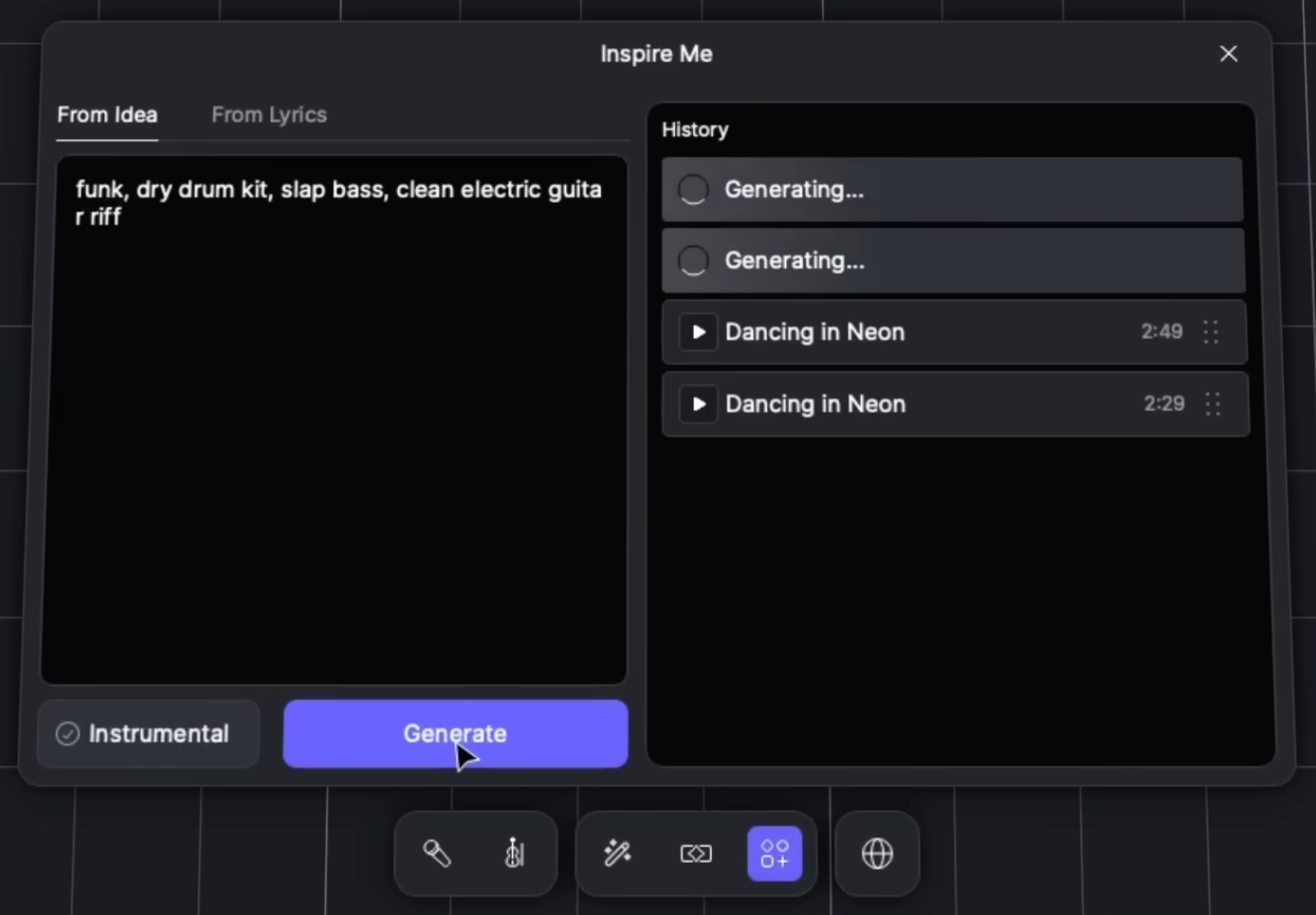
Add a Layer is the more surgical option – for when the song is already working, but one section needs motion. Maybe the chorus needs lift, the verse needs a subtle rhythmic texture, or the drop needs a new pulse. You generate a supportive layer for a specific hole in the arrangement, choose the variation that actually serves the vocal, then produce it properly back in the DAW: decide where it appears, how wide it sits, and how it evolves over time.
And if you’re starting from a single mixed file, Stem Splitter is a quick way to turn “one audio bounce” into workable parts you can actually arrange and mix.
Who is a DAW for?
A DAW isn’t “only for producers.” It’s for anyone who needs control over audio – whether that’s a song, a podcast, or a film cue.
Beginners and hobbyists
If you’re new, your DAW is where you learn how music is built: tempo, bars, looping, layering, and editing. You don’t need expensive gear to start. A laptop, headphones, and a simple interface can get you moving.
A beginner-friendly approach: start with short loops (8–16 bars), then expand. Learn one plugin at a time. Learn how to export a rough mix and listen on different speakers.
Music producers and artists
For producers, the DAW is home. It’s where you build arrangements, control the mix, and bounce versions. It’s also where collaboration happens: stems, project files, tempo maps, and revisions.
This is where hybrid tools can help without taking over. For example, if you want to sketch choir stacks, instrumental layers, or transform stems into editable parts, that can speed up experimentation – but the DAW is still where you commit choices and craft the final record.
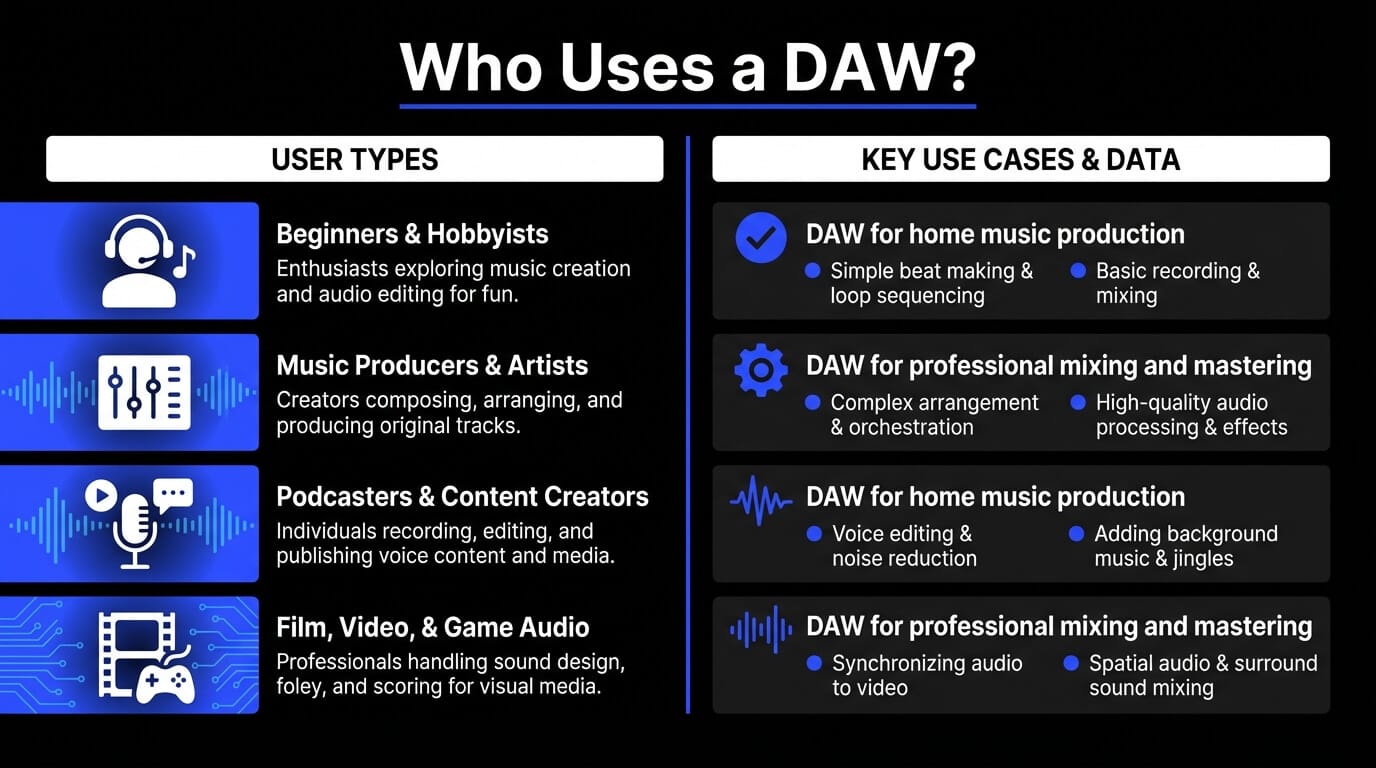
Podcasters and content creators
DAWs are excellent for spoken audio: noise cleanup, EQ, compression, music beds, and loudness standards. Even a “music DAW” can handle podcasts beautifully once you learn routing and basic processing.
Film, video, and game audio
For picture work, DAWs handle sync, sound design, dialogue editing, atmospheres, and music. Timeline precision matters here. You’ll lean on markers, tempo mapping, and automation constantly.
Do you need a DAW to make music or audio?
Not always – but it depends on what you mean by “make music.”
If your goal is to sketch ideas quickly, you can start with simple tools: phone apps, loop-based beat makers, or notation software. You can even generate or transform musical material in specialized tools, then export audio.
But when you want to finish something – a full arrangement with multiple parts, clean edits, proper mixing, and reliable exports – a DAW becomes the most practical place to do that. It’s where you can manage the whole session: tempo, structure, editing, gain staging, buses, and final output formats.
A good mental model is:
- Tools help you create or transform parts.
- The DAW is where you assemble and finalize the record.
This is why DAW integration matters. If you use tools that generate vocals/instruments, convert audio to MIDI, or split stems, you still want a clean way to bring those results back into your session and mix them like everything else.
Also, beginners often worry: “If I don’t have a DAW, am I not a real musician?” Ignore that. The DAW is just a workspace. The musicality is still you: your taste, your phrasing, your choices, your restraint.
Free vs paid DAWs – what’s the difference?
Free DAWs can be genuinely powerful. Paid DAWs usually win on depth, polish, ecosystem, and long-term scalability. The best choice depends on your goals.
Here’s a practical comparison:
A good beginner move: start free, learn the fundamentals, then upgrade when you hit a specific limitation (not because you feel “behind”). The goal isn’t owning a “pro DAW.” The goal is building repeatable habits: recording cleanly, arranging clearly, and mixing with intention.
What is the best DAW for beginners?
The best DAW for beginners is the one you’ll actually open, learn, and finish songs in. Don’t pick based on internet arguments. Pick based on your computer, your musical goals, and the workflow that makes sense to your brain.
Here’s a quick selection of popular choices:
- GarageBand
- FL Studio
- Ableton Live
- Logic Pro
- Pro Tools
- Reaper
- Cubase
- Reason
How to choose the right DAW for your needs
Choosing a DAW is less about “best” and more about fit. Here’s what actually matters.
Operating system compatibility
Some DAWs are platform-specific. If you’re on Windows, make sure your top picks fully support it. On macOS, you have extra options. Don’t choose a DAW that forces your whole computer decision unless you already wanted that platform.
Ease of use and workflow
Watch someone build a track in the DAW you’re considering. Does the workflow feel intuitive or annoying? Small friction adds up. You want a DAW that helps you stay in creative flow: quick looping, easy editing, and simple export.
Included instruments and effects
If you’re starting from zero, stock instruments and effects matter. A DAW with solid drums, synths, and basic mixing tools will carry you farther before you need extra plugins.
Plugin and hardware support
If you plan to use third-party plugins or integrate specialized tools via plugin formats, check compatibility. Some production tools integrate through common plugin formats and real-time DAW connections – which is useful when you want to keep everything inside one session.
Budget and pricing
Think in terms of long-term use. You’ll spend more time learning than you will spending money. Choose something you can commit to for a year. That’s usually enough to get past beginner confusion and into real progress.
Frequently Asked Questions about DAWs
What does DAW stand for?
DAW stands for Digital Audio Workstation – software used to record, edit, arrange, mix, and export audio (often with MIDI support).
Can you make professional music with a DAW?
Yes. A DAW is the standard tool for professional production. What makes a track “professional” is the decisions: performance, arrangement, sound selection, and mix translation – not the DAW brand.
Is a DAW the same as recording software?
Recording software is part of a DAW. A full DAW also includes MIDI, instruments, mixing, automation, plugin chains, routing, and export workflows.
Are DAWs hard to learn?
They can feel overwhelming at first, but the learning curve is manageable if you focus on fundamentals like tracks and clips, the grid and tempo, basic editing, simple mixing,and build from there.