

Key Takeaways
- Granular synthesis divides audio into tiny fragments called grains, allowing pitch, timing, texture, and playback speed to be controlled independently.
- Grain size, file position, density, overlap, spray, and window shape determine whether the result sounds smooth and atmospheric, rhythmic and glitchy, or metallic and experimental.
- The technique can transform short recordings into evolving pads, drones, vocal textures, rhythmic effects, cinematic soundscapes, and responsive game audio.
- Source material strongly affects the outcome. ACE Studio can help create expressive instrument performances, custom sound effects, isolated stems, and prompt-generated layers for later granular processing.
- Granular synthesis offers enormous creative flexibility, but it can require significant processing power and careful parameter control to avoid clicks, weak transients, or unpredictable results.
How granular processing expands creative control
Granular synthesis represents one of the most profound shifts in digital music production, moving sound generation away from the macro-level constraints of traditional oscillators and tape loops into the micro-acoustic domain. By dismantling audio signals into microscopic fragments known as grains, this method provides sound designers and electronic musicians with unprecedented control over time, pitch, timbre, and spatial distribution.
Whether applied to real-time sound manipulation during a live performance, or utilized as a core asset for digital sound design in cinema and interactive game environments, mastering granular audio effects allows producers to transcend the structural limitations of sample-based synthesis. This comprehensive guide explores the historical evolution, mechanical inner workings, structural parameters, and creative workflows necessary to fully utilize granular sound design in modern audio production.
Foundations of Microsound and Granular Synthesis
Defining Granular Synthesis
To understand granular synthesis, one must shift focus from the traditional perception of musical time. Standard synthesis models, such as subtractive or frequency modulation synthesis, operate on continuous periodic waveforms generated by oscillators. In contrast, granular synthesis approaches audio as a composite structure made of thousands of discrete, short-lived acoustic events.
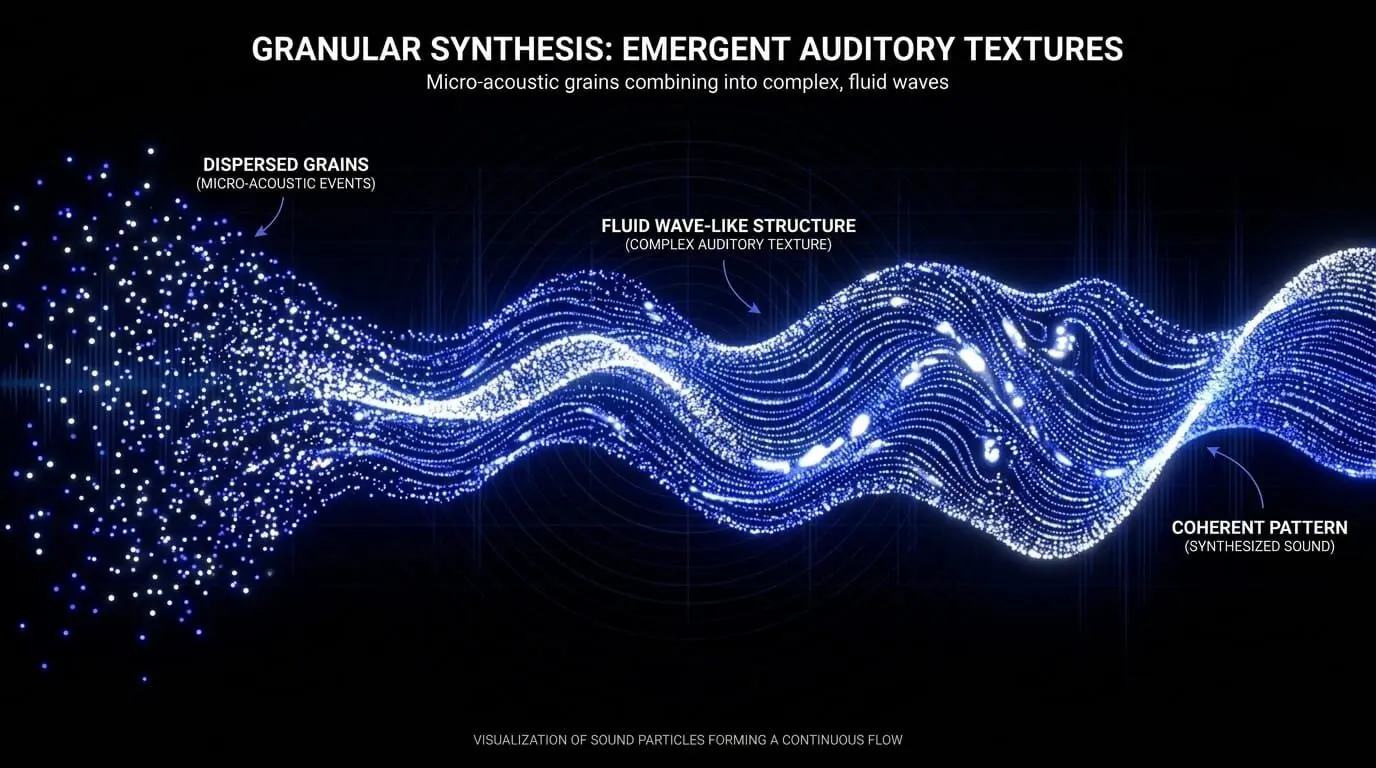
This methodology operates within the realm of microsound, a time scale that occupies the space between sample-level digital audio processing and macro-level musical phrasing. A single grain typically lasts between 1 and 100 milliseconds. On their own, isolated grains are perceived merely as brief clicks or transient bursts. However, when hundreds or thousands of these micro-acoustic events are layered, generated, and manipulated in rapid succession, they coalesce into a continuous, complex auditory texture.
Through this process of sound granulation, the time-domain characteristics of a recorded sample are entirely decoupled from its pitch-domain characteristics. This provides the architectural foundation for advanced time stretching and pitch shifting, allowing sound designers to stretch a one-second audio file into a permanent, non-looping drone without altering its fundamental pitch, or conversely, change the melody of a sound without affecting its temporal playback speed.
Anatomy of a Grain: Technical Parameters Explained
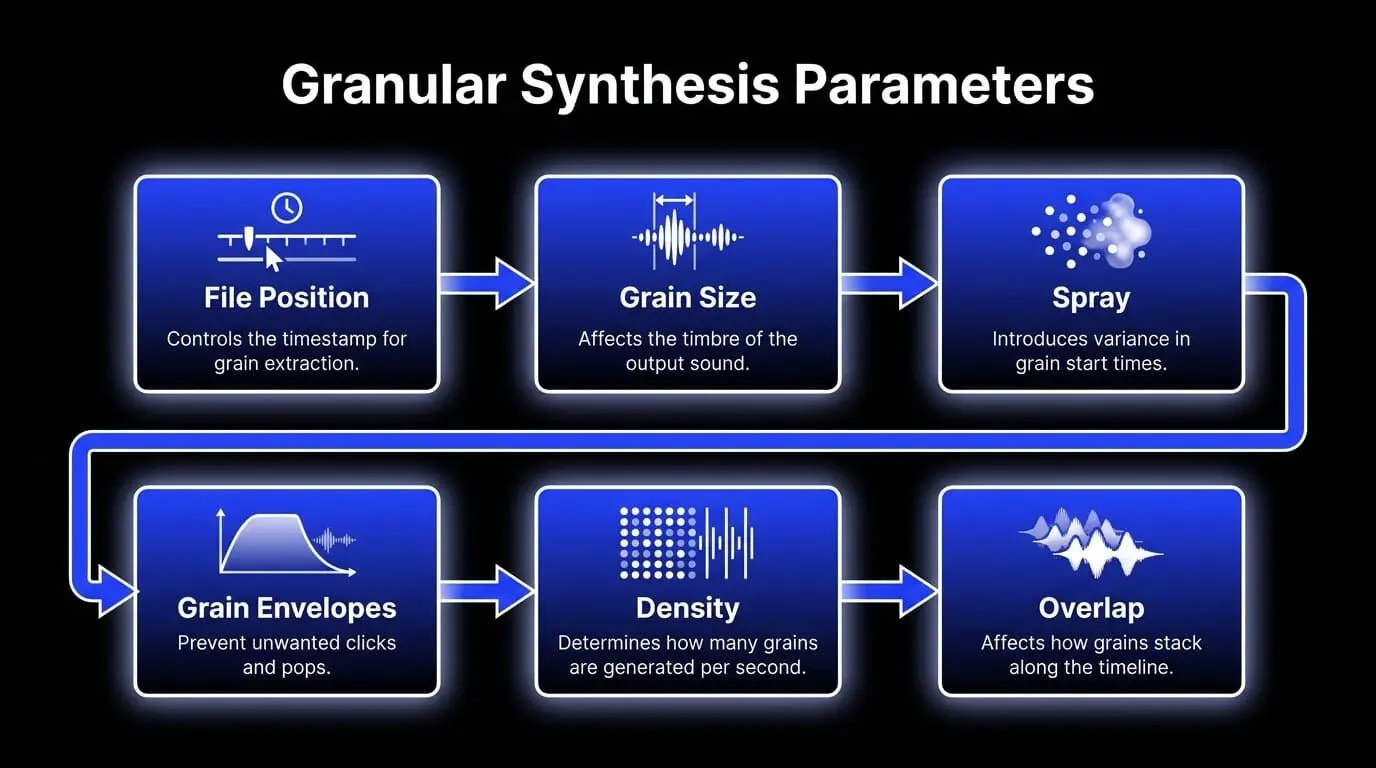
An operational mastery of granular synthesis software requires a precise understanding of the parameters governing grain extraction, transformation, and reconstruction. Modulating these controls alters the structural behavior of the resulting audio texture.
File Position and Playback Head Pointer
The file position parameter dictates the exact timestamp within the source sample where the granular engine extracts data. Unlike a standard sampler that reads audio sequentially from start to finish, a granular system can fix its playback head pointer at a single, stationary position in the file.
- When the position pointer is static, the engine continuously extracts grains from that specific micro-segment of the waveform, generating a sustained timbre that highlights the harmonic profile of that exact moment.
- When the position pointer is modulated—either by an internal Low-Frequency Oscillator, a linear ramp, or manual user control—it scans across the audio file. The speed of this position pointer determines the time-base of the output audio, enabling extreme time-stretching capabilities that remain completely independent of the playback pitch.
Grain Size and Duration
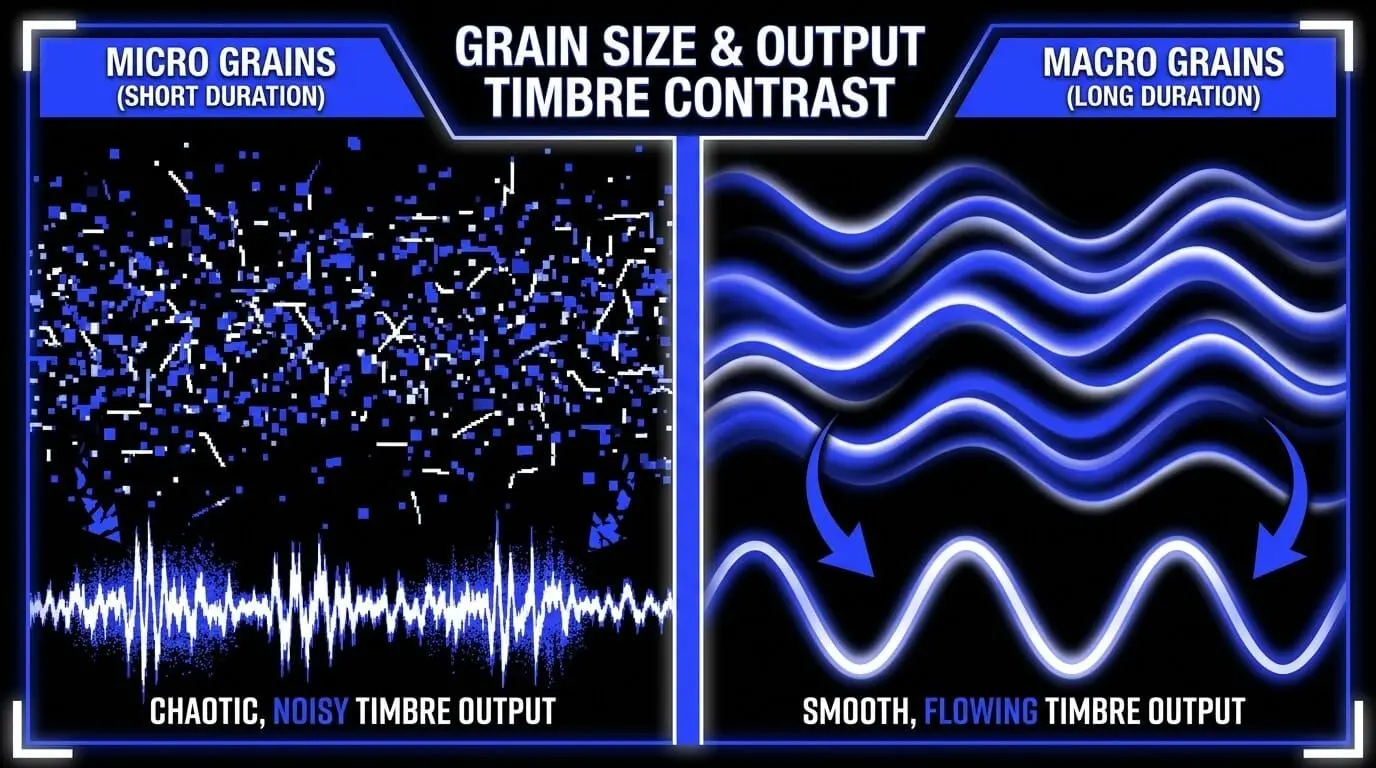
Measured in milliseconds, the grain size parameter dictates the lifespan of each individual grain from its birth to its termination. Altering this value completely changes the timbre of the output:
- Micro Grains (1 to 20 milliseconds): Grains that are shorter than the period of the fundamental frequency of the source audio lose their pitched identity. Processing at this scale introduces digital noise, metallic sidebands, and a rough, granular texture because the window is too brief to convey low-frequency cycles.
- Macro Grains (50 to 150+ milliseconds): Longer grain durations retain the structural, harmonic, and transient characteristics of the source audio. At this scale, the listener can clearly identify vocal formants, instrumental timbres, and rhythmic elements within the granular stream.
Spray and Randomization
The spray parameter introduces a controlled level of statistical variance to the file position pointer. Rather than extracting every single grain from the exact location indicated by the master position control, a high spray value forces the engine to randomly select grain start times from a specified time window surrounding the main pointer.
Introducing spray breaks up the phase alignment and repetitive uniformity of synchronous granular streams. It diffuses sharp transients, smooths out repetitive digital artifacts, and turns distinct rhythmic loops into smooth, expansive audio textures.
Grain Envelopes and Windowing Functions
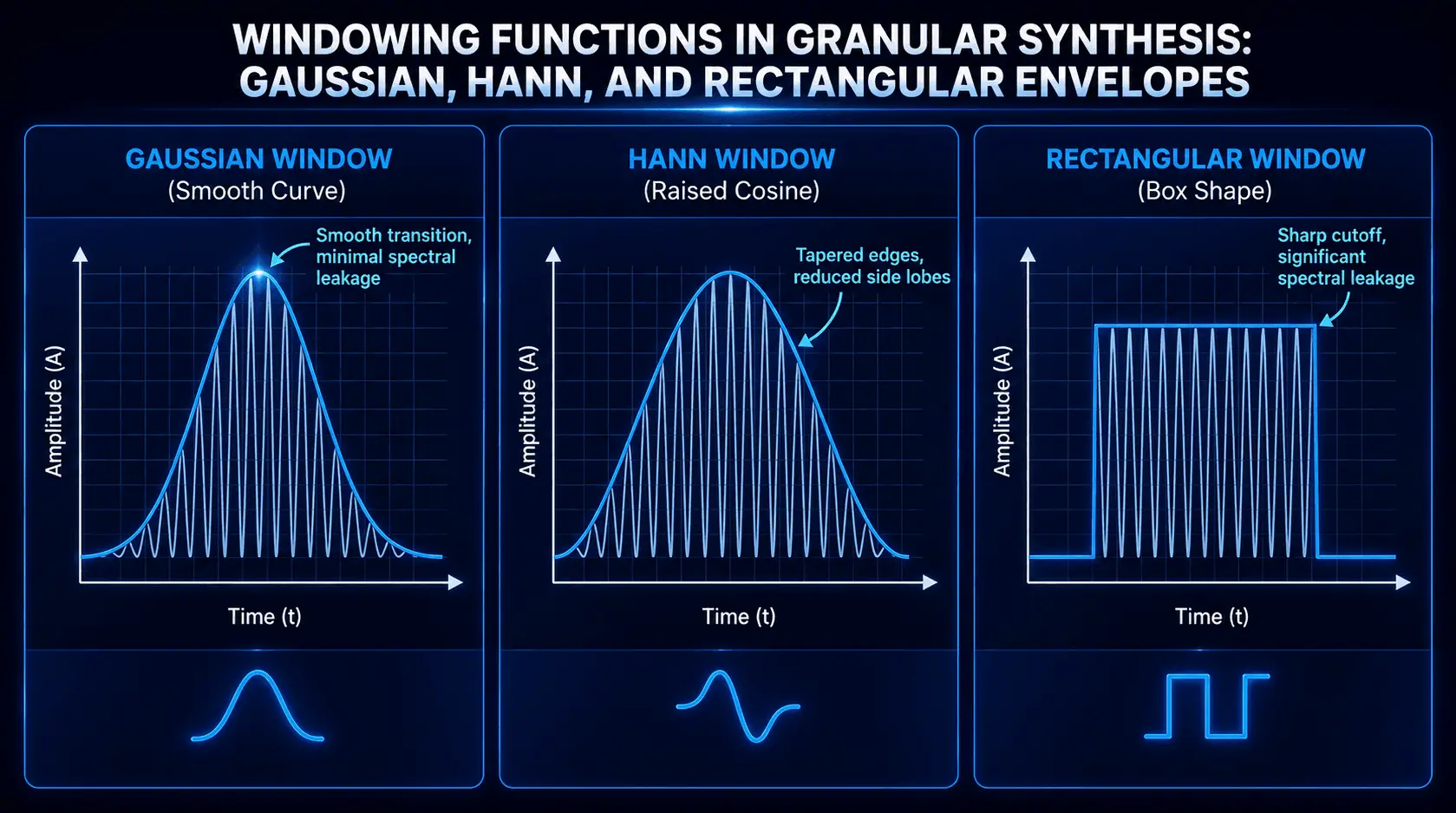
If a granular engine extracts a segment of audio with instantaneous, square-shaped start and stop boundaries, the resulting abrupt changes in voltage create severe phase discontinuities. In the digital domain, these discontinuities are perceived as harsh, unwanted clicks and pops across the frequency spectrum. To mitigate this issue, every grain must be shaped by an amplitude envelope, a process technically referred to as windowing.
Common windowing functions include:
- Gaussian Windows: A smooth, bell-shaped curve that provides an excellent balance between time and frequency resolution, yielding organic, silky textures with minimal digital harshness.
- Hann and Hamming Windows: Raised cosine curves that offer excellent phase cancellation properties at overlapping borders, frequently utilized for transparent time-stretching and high-fidelity pitch shifting.
- Triangular / Linear Windows: Linear attack and decay slopes that introduce sharp spectral definitions, making them ideal for emphasizing transients or creating glitchy, percussive sound granulation.
- Rectangular Windows: No amplitude attenuation at the borders, which purposefully preserves phase discontinuities to generate lo-fi, highly distorted digital textures.
Density and Overlap
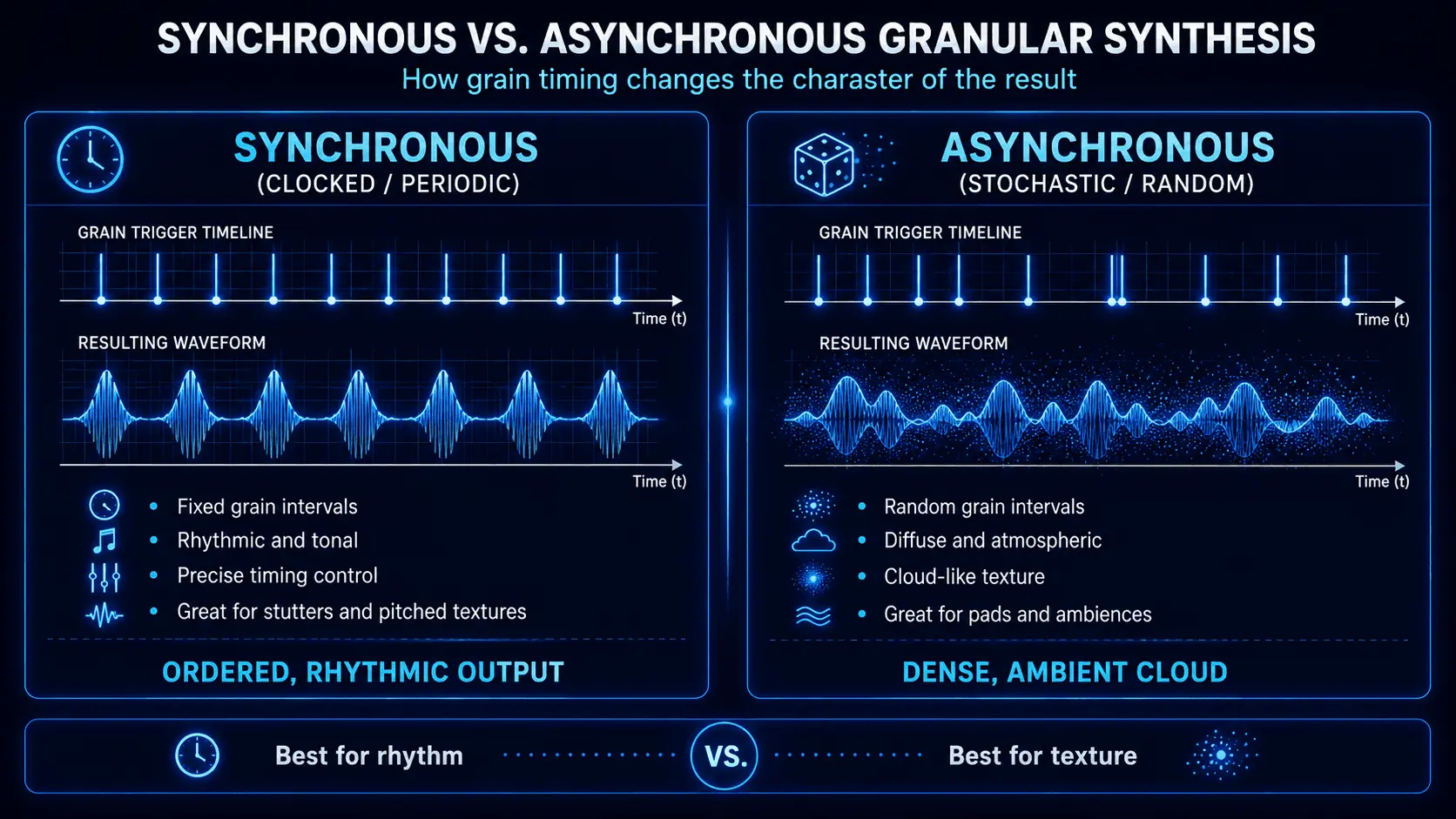
Density defines how many individual grains are generated per second, while overlap dictates how these grains stack on top of one another along the timeline. These parameters operate within two distinct operational formats:
- Synchronous Granular Synthesis: Grains are spawned at fixed, periodic intervals dictated by a master clock or MIDI clock division. This synchronization yields precise, rhythmic, and highly pitched results, as the periodic repetition rate of the grains themselves can introduce a new perceived fundamental pitch.
- Asynchronous Granular Synthesis: Grain generation intervals are determined stochastically, using probability distributions. This results in an unpitched cloud of sound where grains are scattered randomly across the timeline, making it the preferred method for generating dense clouds of background noise and unpitched ambient soundscapes.
Pitch Shifting and Time Stretching Mechanics
Within a sample-based synthesis framework, accelerating the playback speed of a sample naturally raises its pitch, much like spinning a vinyl record at an incorrect speed. Granular synthesis bypasses this limitation through architectural separation of Pitch Shifting and Time Stretching.
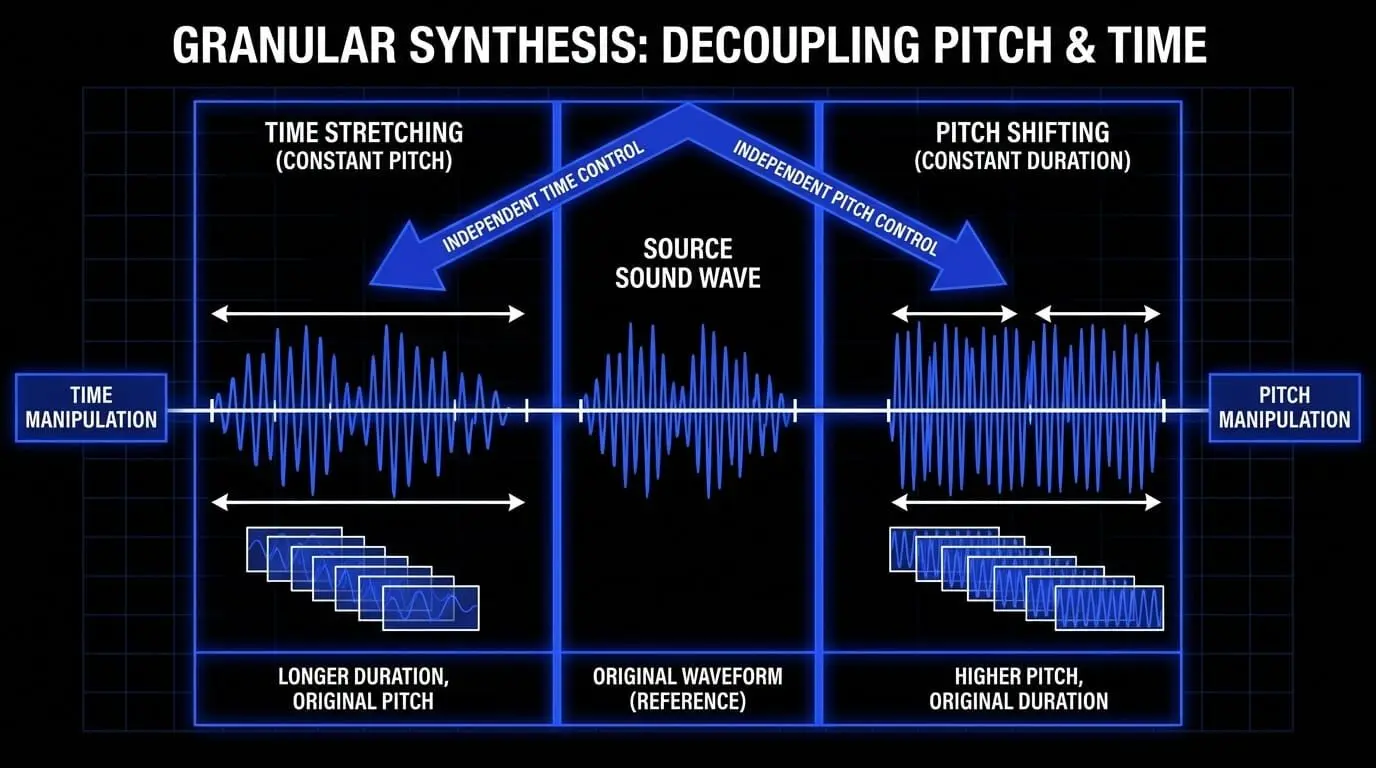
To achieve pitch shifting without changing the overall duration of the sound, the internal playback rate within each individual grain is accelerated or decelerated, while the master position pointer continues to move across the source file at its original speed.
To achieve time stretching without altering the pitch, the internal playback speed of each grain matches the original pitch of the sample, but the master position pointer crawls across the audio file at a fraction of its normal speed. Because the density control keeps generating overlapping grains, the gaps caused by the slower pointer movement are continuously filled with new micro-acoustic material, maintaining a solid, artifact-free wall of sound.
Comparison of Sound Synthesis Techniques
To understand when to choose granular sound design over alternative audio processing techniques, it is helpful to look at a direct architectural comparison.
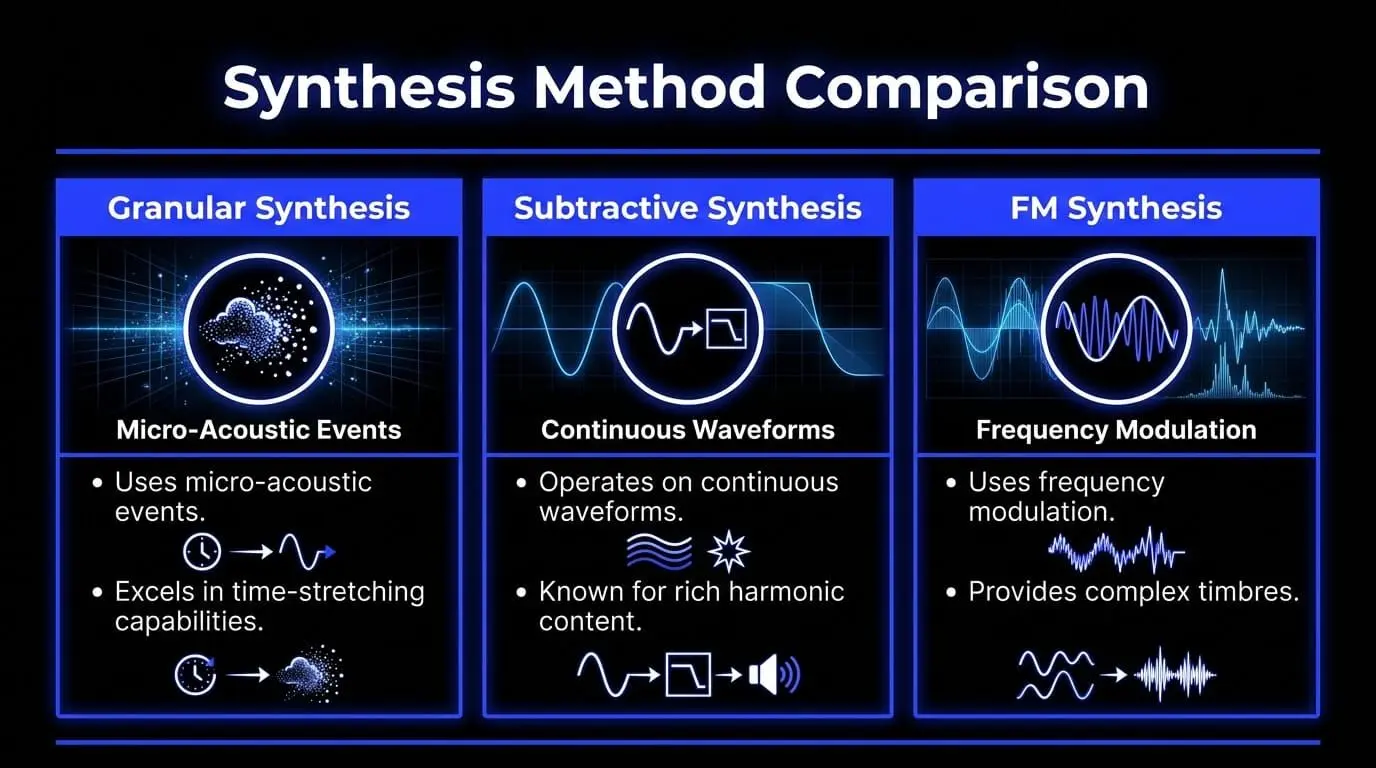
| Synthesis Method | Core Structural Source | Primary Modulation/Sculpting Mechanism | Optimal Sonic Outcome | Limitations |
|---|---|---|---|---|
| Granular Synthesis | Pre-recorded digital audio buffers or live audio samplings. | Microscopic grain windowing, pointer variation, position scattering. | Evolving organic clouds, infinite time stretching, textured pads. | High CPU resource demands, complex parametric interactions. |
| Subtractive Synthesis | Harmonically rich continuous waveforms: saw, square, and triangle. | Voltage-controlled or digital low-pass, band-pass, and high-pass filters. | Punchy bass tones, classic analog leads, synthesizer brass patches. | Struggles with complex, non-periodic acoustic realism. |
| Frequency Modulation (FM) | Interconnected mathematical oscillators, with operators modulating carriers. | Dynamic modulation index adjustments via envelope generators. | Metallic bell strikes, bright digital stabs, aggressive FM bass lines. | Highly non-linear adjustments make programming unpredictable. |
| Wavetable Synthesis | Sequential arrays of single-cycle static single-period waveforms. | Linear interpolation scanning across a multi-frame position table. | Shifting digital timbres, evolving modern leads, rhythmic bass lines. | Restricted by the fixed single-cycle nature of the wavetable frames. |
Sound Design Workflows and Audio Processing Techniques

Sound Sampling Techniques and Material Selection
The sonic success of a granular synthesis project relies heavily on the source audio file loaded into the sample buffer. While subtractive synths require stable geometric waveforms, granular sound design benefits from audio that features rich harmonic variations and complex internal motion.
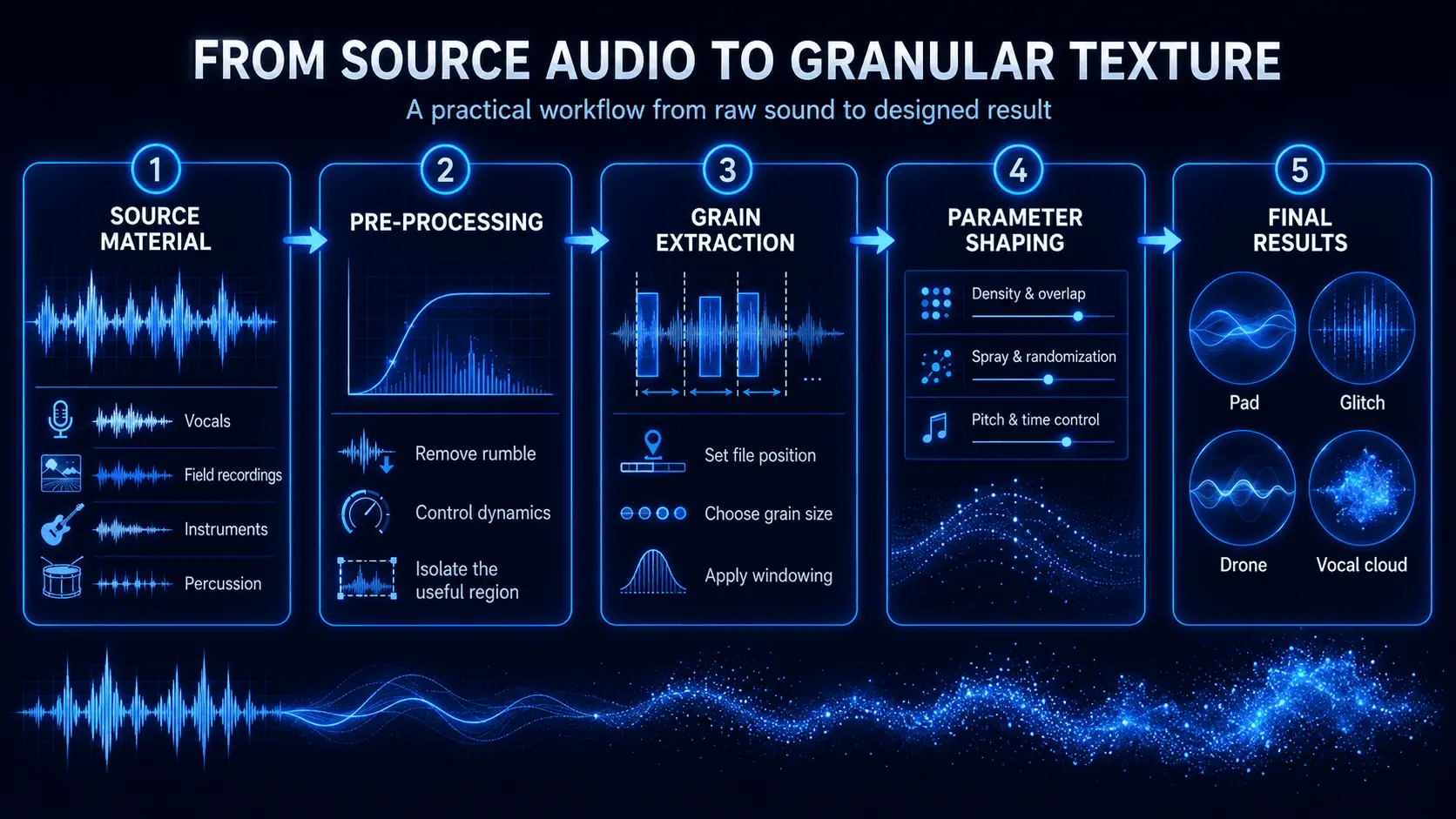
- Ideal Source Materials: Field recordings containing complex background noise (such as rain, wind, or crowd chatter), acoustic instrument solo phrases (like cello, violin, or acoustic guitar), and highly articulated vocal recordings. Non-musical sound sources, such as mechanical gear rotations or scraping metal, provide excellent high-frequency energy that translates beautifully into unique timbres when processed through a granular engine.
- Pre-Processing Recommendations: Before importing a sample into granular synthesis software, clean up the audio file using a dedicated utility tool or audio editor. Remove unwanted sub-bass rumble with a sharp high-pass filter, and apply mild saturation or compression to elevate quiet textures. This gives the granular engine richer data to extract from across the entire duration of the file.
From Raw Audio to Evolving Textures
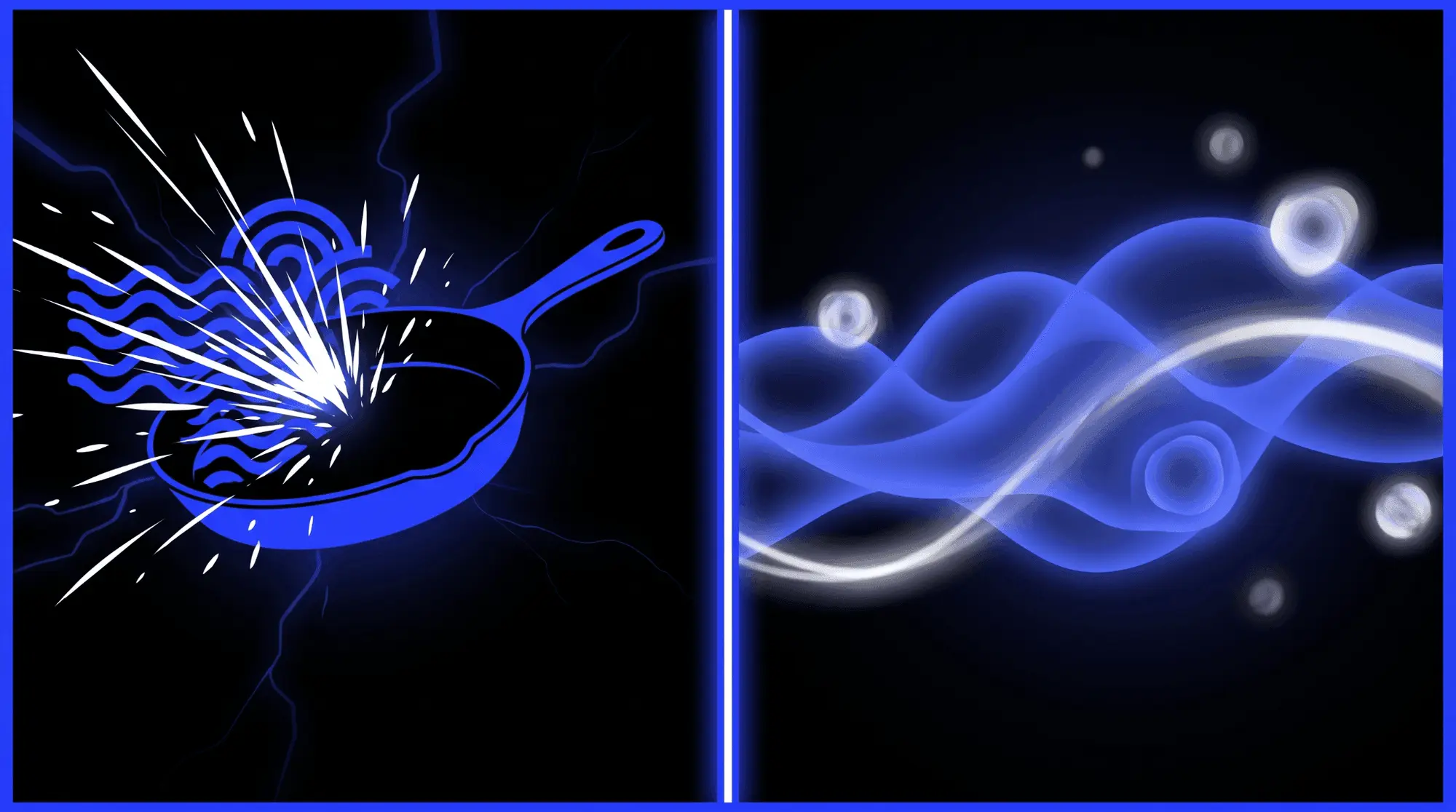
The classic technique known as transforming a pan into a pad demonstrates how a simple everyday sound can be reshaped into a lush, cinematic texture. Below is the step-by-step setup required to convert an impact sample into an evolving synth pad:
- Sample Selection: Import a clean audio sample of a metal cooking pan being struck by a hard mallet. This sample provides a sharp transient burst followed by a long, metallic resonance that decays over time.
- Set the Playback Head: Set the file position pointer to rest inside the tail end of the recording, completely bypassing the initial sharp strike. This isolates the pure, ringing frequencies of the metal.
- Configure the Grain Size: Dial in a long grain duration between 80 and 150 milliseconds. This gives each grain enough room to capture the smooth, ringing character of the vibrating metal.
- Adjust Density and Overlap: Increase the grain density to a high value (30 to 50 grains per second) and ensure the overlap factor is set to at least 4x or 8x. Stacking these long grains creates a thick, unbroken wall of sound, turning the isolated ringing frequencies into a smooth drone.
- Apply Windowing: Select a Gaussian or Hann envelope curve to soften the entry and exit points of each grain. This eliminates any remaining digital clicks, blending the grains into a seamless audio texture.
- Introduce Position Modulation: Apply a slow internal LFO to modulate the file position pointer. The pointer will gently drift back and forth across the metallic decay curve, introducing natural, evolving variations that keep the sound alive and engaging over time.
- Post-Processing Polish: Run the output through a low-pass filter to tame any harsh high frequencies. Then, route the signal into a lush algorithmic reverb or delay plugin to create an expansive sense of three-dimensional space.
Granular Processing for Drums and Transients
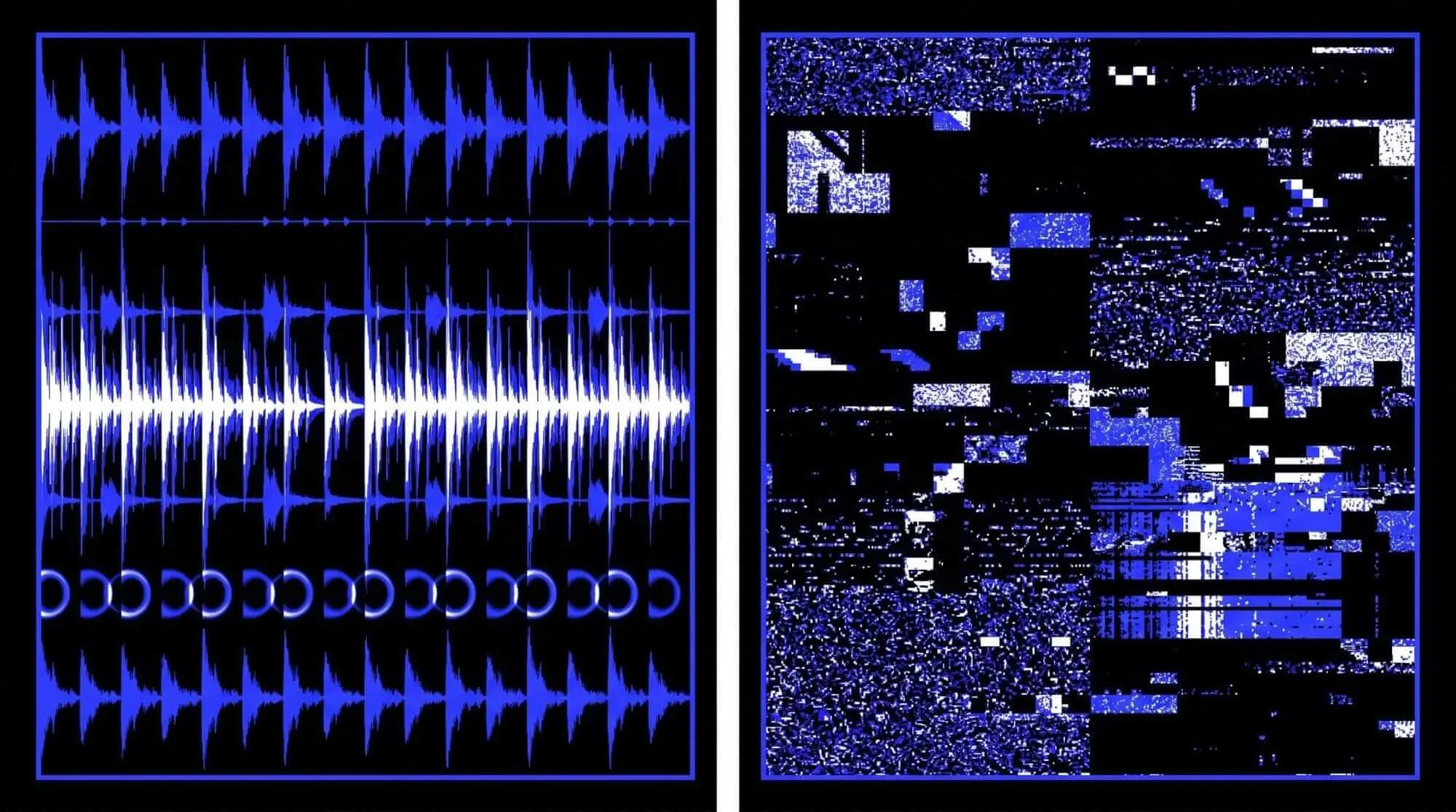
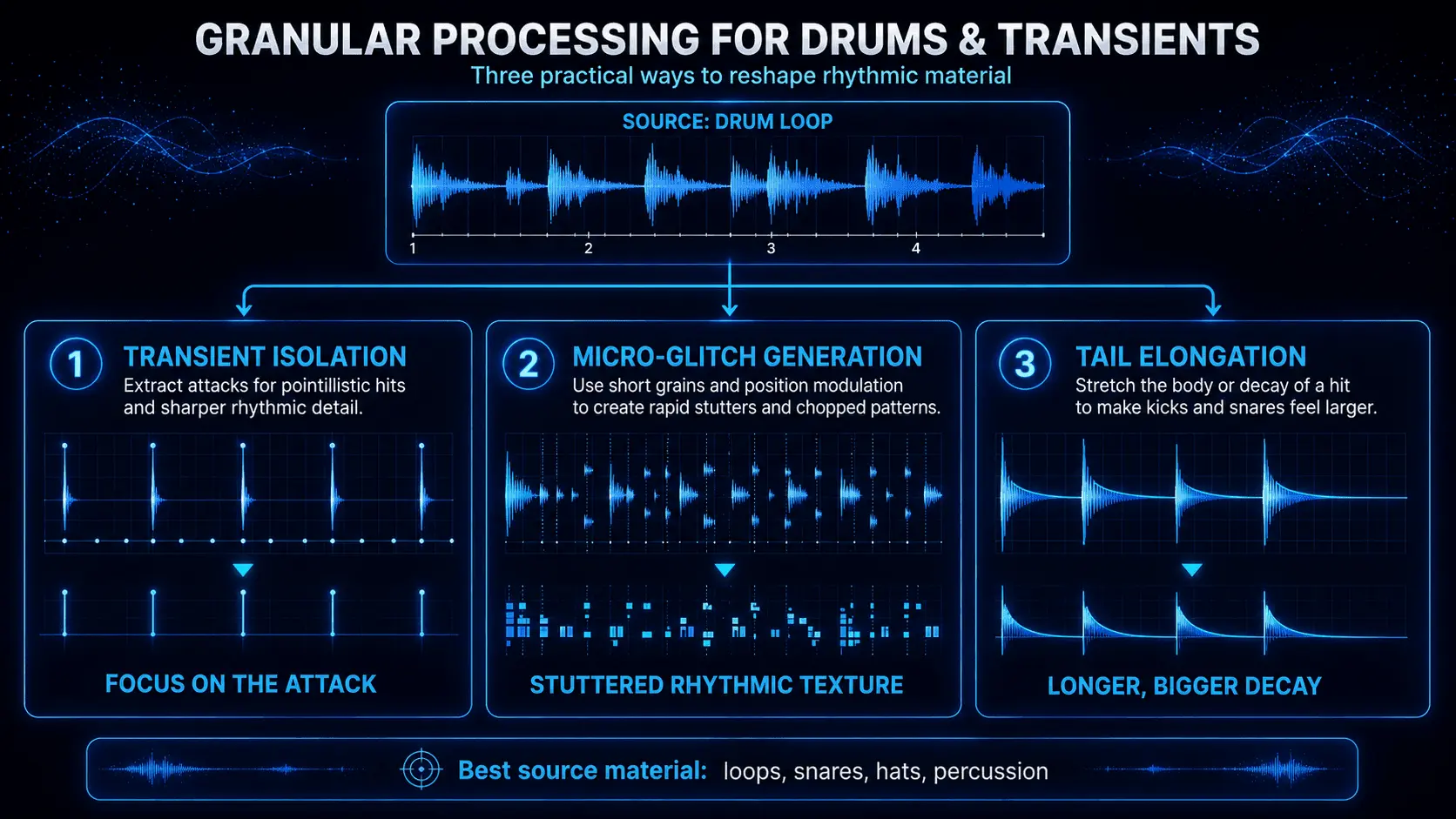
While granular processing is highly regarded for its ability to create smooth, ambient soundscapes, it is also an effective tool for working with rhythmic material, drums, and sharp transients.
- Transient Preservation and Isolation: When processing full drum loops, setting a rapid synchronous grain generation interval that aligns perfectly with your host DAW tempo can create intriguing stutter effects. If your granular synthesis software includes transient detection, you can configure the engine to skip the rhythmic hits entirely, or conversely, extract only the punchy transients to create pointillistic, scattering patterns.
- Micro-Rhythmic Glitch Generation: By loading a acoustic drum break into a granular engine, choosing a brief grain duration (15 to 30 milliseconds), and applying step-sequencer modulation to the file position pointer, you can generate complex glitch patterns. This technique forms the rhythmic foundation for genres like IDM, glitch-hop, and drum and bass.
- Tail Elongation: To beef up an individual electronic snare or kick drum sample, use granular synthesis to extend its decay phase. Isolate the body of the drum hit, loop a dense stream of grains across that tiny section, and blend this newly granulated tail beneath the original punchy sample. This allows you to lengthen your drum sounds without having to use standard compression or long reverb tails.
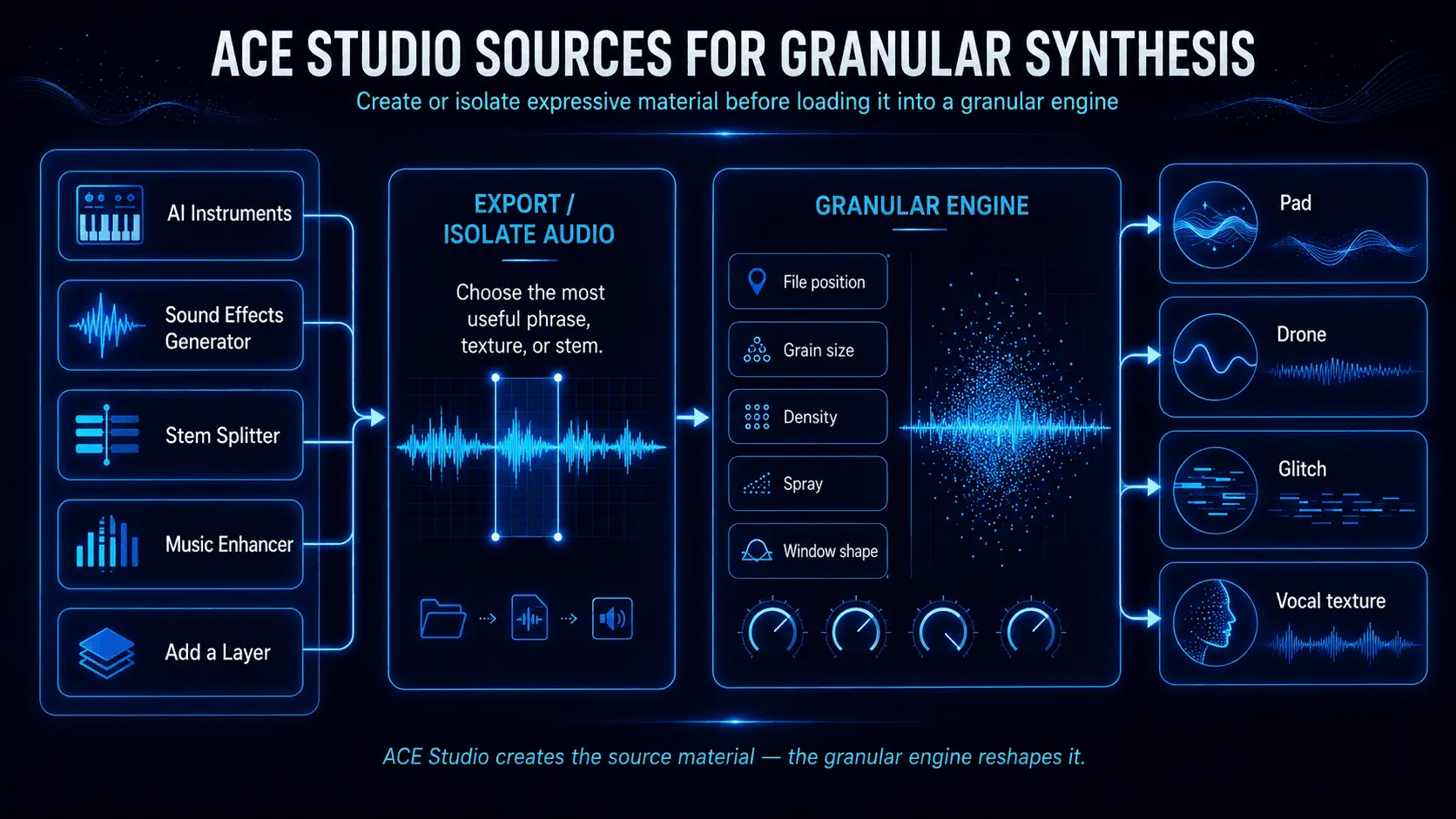
Using ACE Studio to Create Source Material for Granular Synthesis
ACE Studio is not a dedicated granular synthesizer. Its value in granular sound design comes earlier in the process: it lets you create, separate, and reshape expressive audio that can then be loaded into a granular engine.
This distinction matters because the character of a granular patch depends heavily on the source recording. A static waveform may produce a narrow range of results, while a performance containing changes in articulation, dynamics, pitch, and texture gives the grain engine far more information to explore.
Create Controlled Instrument Performances for Granulation
ACE Studio’s AI Instruments generate editable performances from MIDI. Instead of searching through sample libraries for a violin, cello, saxophone, trumpet, or other instrument phrase that happens to match your idea, you can write the notes yourself and shape the performance before exporting the audio. Notes, articulations, and expression controls remain adjustable.
This makes it possible to create several versions of the same musical phrase specifically for granular processing:
- Render a sustained legato note for smooth pads and frozen textures.
- Create a pizzicato version for short, transient-heavy grains.
- Add a glissando to produce grains with continuous internal pitch movement.
- Draw changing expression across a long note so that different file positions contain different levels of breath, tension, brightness, or intensity.
Once these versions enter a granular sampler, they behave very differently even when the grain settings remain unchanged. A sustained bowed note can become a stable harmonic cloud, while its pizzicato counterpart produces sharper rhythmic fragments. The creative decision still belongs to you: you write the MIDI, select the articulation, shape the dynamics, and decide which part of the rendered performance becomes the grain source.
Extract Cleaner Grains from Finished Recordings
A full mix may contain an ideal texture, but overlapping instruments often make it difficult to isolate. ACE Studio’s Stem Splitter can separate a recording into vocals and instrumental material or divide it further into elements such as drums, bass, piano, guitar, and other detected stems.
That separation gives the granular engine a more focused buffer. For example:
- Isolate a guitar stem and freeze the resonance between two chords.
- Extract the drum stem and use short grains to rebuild its transients as a new rhythm.
- Separate a piano part and scan across its natural attack and decay.
- Pull a background vocal away from the mix and stretch a single vowel into a tonal layer.
Cleaner source material does not always mean cleaner results. It means more control over what the grain engine breaks apart. You can always add distortion, randomization, or dense overlap later.
Create Parallel Variations Before Granulating
ACE Studio’s Music Enhancer can transform audio contained within a selected region into a reimagined version. This creates a useful sound-design experiment: granulate the original recording and the transformed version separately, then layer or crossfade between them.
The first layer preserves the recognizable identity of the source. The second introduces altered detail, movement, or instrumentation. Even subtle differences between the files can produce substantially different grain clouds because the granular engine is repeatedly sampling their microstructure.
Use Add a Layer to Generate Focused Source Audio
ACE Studio’s prompt-based Add a Layer tool can also create source material for granular processing. Select a section of the arrangement, describe the type of layer you need, and generate audio that responds to the surrounding musical context.
For granular synthesis, the most useful prompts describe audible properties rather than broad moods. For example:
- “Sparse bowed cello with long decays”
- “Dry metallic percussion with irregular hits”
- “Breathy backing vocals using sustained vowels”
- “Glassy plucked notes with wide spaces”
Each request creates different material for the grain engine. Sustained notes can become smooth pads, dry percussion can produce micro-rhythmic glitches, and open vowel sounds can be stretched into tonal vocal clouds.
The generated layer does not have to remain in the arrangement as a finished part. Export or isolate the most interesting passage, load it into your granular synth, and use file position, grain size, density, and spray to reshape it. This gives you source audio designed around the intended granular result while keeping the final texture under your control.
ACE Bridge 2 can stream audio and exchange MIDI between ACE Studio and a compatible DAW through VST3, AU, or AAX, allowing these rendered sources to be heard alongside the granular processing without rebuilding the arrangement in a separate session.
Used this way, ACE Studio does not replace granular synthesis or make its decisions for you. It gives you more intentional material to dismantle. You determine the notes, performance, source region, grain size, density, movement, and final emotional character.
Applications of Granular Synthesis in Modern Music and Media
Electronic Music and Glitch Production
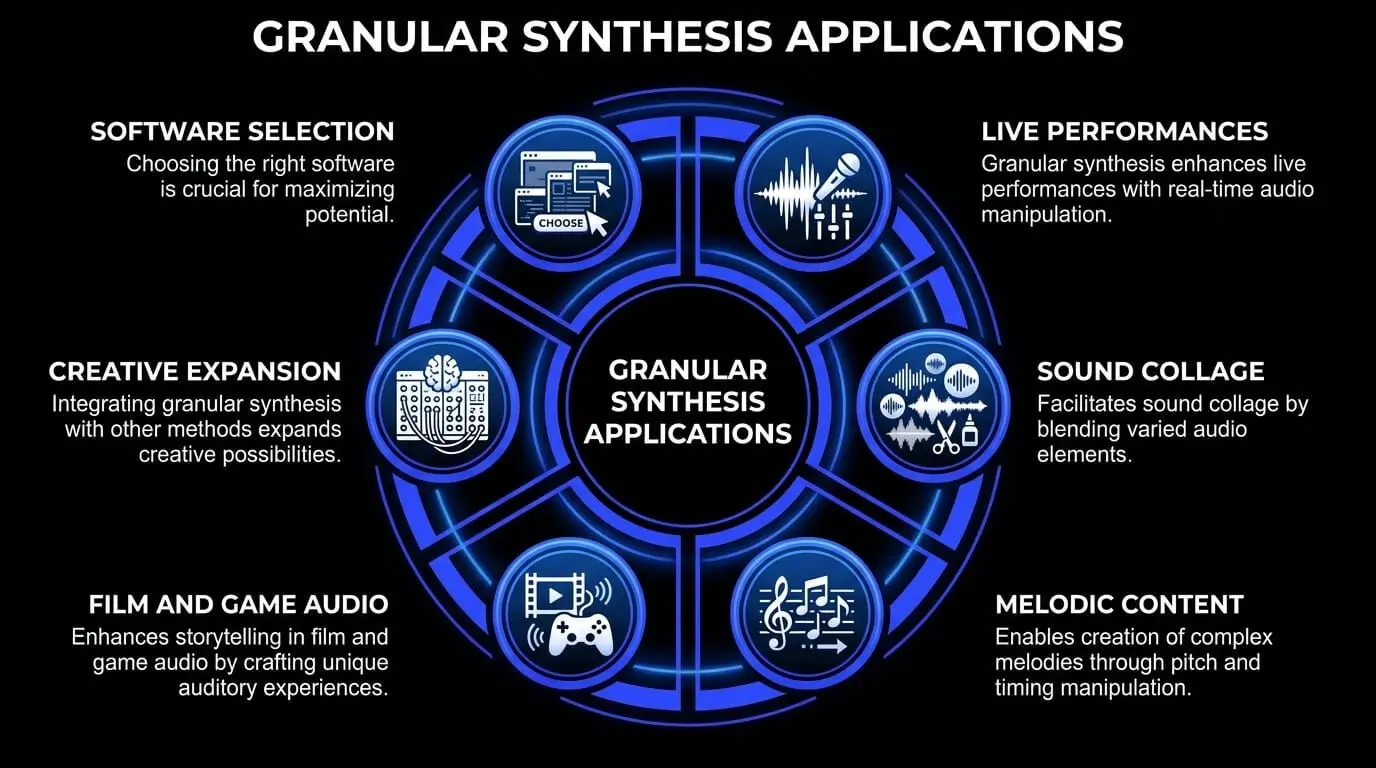
In modern electronic music production, standing out requires unique sonic signatures. Granular sound design has become a go-to technique for breaking away from standard presets. In experimental electronic genres like IDM and glitch music, granular audio effects are frequently used to shatter conventional melodies, transforming pristine synthesizer patches into chaotic, pointillistic webs of sound.
By automating grain size to shrink down to a few milliseconds over the course of a musical bar, a producer can create rising, metallic transitions that add incredible energy right before a track drops.
Ambient, Drone, and Texture Synthesis
Ambient music relies heavily on creating immersive atmospheres, making granular processing a core tool for artists in the genre. Because granular engines can freeze a sound indefinitely, ambient producers use them to transform brief acoustic performances into vast, evolving soundscapes.
A single note played on an acoustic guitar can be stretched out into an hour-long background texture. By setting the grain generation engine to an asynchronous mode and adding gentle randomization to parameters like pitch, panning, and filter cutoffs, you can create evolving soundbeds that never repeat exactly the same way twice.
Hip-Hop, Trap, and Modern Vocal Chopping
Modern Hip-Hop and Trap productions are built around unique hook elements and heavy vocal processing. Granular synthesis offers a fresh alternative to the classic chopped and screwed vocal techniques. By feeding a clean vocal line into a granular sampler, a producer can isolate a specific vowel sound or syllable, pitch it down an octave without changing its speed, and stretch it out into a continuous vocal texture.
Additionally, applying granular processing to standard TR-808 sub-bass samples can add an extra layer of grit to your low end. By setting a very short grain duration and introducing mild pitch randomization, the sub-bass takes on a growling, distorted texture that helps it cut through small smartphone and laptop speakers without muddying up the low-frequencies of your mix.
Pop Music Implementation and Production Polish
In commercial pop music, granular synthesis is typically applied with a subtler touch, serving as a tool to add depth and polish to a mix. Pop producers use granular audio effects to build custom, wide stereo background layers that sit tucked beneath the main lead vocal.
By running a duplicate of the lead vocal track through a granular engine with high grain density, slight pitch detuning, and wide spatial panning, you can create a lush vocal bed that fills out the stereo image. This adds an impressive sense of scale and emotion to a chorus without cluttering the center of your mix.
Granular Synthesis in Popular Music Tracks
Examining commercial releases highlights the real-world impact of granular sound design across different genres:
- Radiohead - Everything in Its Right Place: This track stands as a famous example of real-time vocal granulation. Synthesist Jonny Greenwood routed Thom Yorke's live vocal performance into a custom patch created in Max/MSP. By instantly capturing the audio into a digital buffer, the patch scattered, looped, and pitch-shifted fragments of the vocal line, creating the iconic glitchy, stuttering vocal textures that define the song's intro.
- Flume - Hi This Is Flume (Mixtape): Producer Harley Streten uses modern granular software like Output Portal and Max for Live devices across this entire project. He frequently runs acoustic found-sound elements, synth leads, and vocal phrases through dense granular chains, instantly turning simple melodic ideas into wide, glitched-out walls of sound.
- Venetian Snares - Hajnal: A masterclass in advanced rhythmic sound granulation. This track takes classical string arrangements and shatters them into complex micro-rhythmic patterns using precise software programming. It demonstrates how granular synthesis can be used to completely rebuild the timing and structure of acoustic samples.
Film Scoring and Interactive Video Game Audio
In media composition, granular synthesis plays a major role in creating unique sounds for storytelling. Film composers routinely use granular software to turn acoustic orchestral recordings into haunting, otherworldly textures that fit tense or suspenseful scenes perfectly.
In video game audio design, granular engines are often built directly into runtime middleware systems like Wwise or FMOD to handle procedural audio generation. For example, instead of playing back a repetitive wind audio file, a game's audio engine can use real-time data—like a player's physical speed or the current weather condition inside the game—to directly control parameters within a live granular engine.
As a player runs faster or a storm rolls in, the system dynamically increases grain density, shifts the playback pitch, and randomizes the file position pointer on the fly. This creates a responsive, organic audio environment that adapts perfectly to what is happening on screen, keeping players fully immersed.
Real-Time Sound Manipulation and Live Performance
Integrating Granular Engines into Live Sets
Bringing granular synthesis onto the stage allows live performers to break free from simply playing back static backing tracks. Modern Digital Audio Workstations, such as Ableton Live and Bitwig Studio, make it easy to route live microphone, guitar, or synthesizer inputs directly into a granular processing buffer in real time.
A live performer can sing a phrase into a microphone, instantly capture that audio into a software buffer, and use an external hardware controller to manipulate that phrase into an evolving background texture or a series of rhythmic chops on the fly. This introduces an element of live improvisation and spontaneity that makes electronic music performances far more engaging for an audience.
Hardware vs. Software Real-Time Controls
To get the most out of real-time granular synthesis during a performance, having tactile physical controls is essential.
- MIDI Polyphonic Expression (MPE): Modern MPE controllers, like the Roli Seaboard or LinnStrument, are an excellent match for granular synthesis software. Because MPE allows for independent polyphonic control over multiple parameters per finger, a player can press into a key to increase grain size, slide horizontally to alter the file position pointer, and slide vertically to shift the playback pitch on an individual note basis.
- XY Pad Layouts: Assigning an XY touch pad to control key parameters simultaneously—such as mapping the X-axis to the file position pointer and the Y-axis to grain density—gives you a simple, intuitive way to shape complex textures with a single movement.
- Physical Hardware Knobs: Dedicated rotary dials are perfect for making precise adjustments to parameters like spray or grain duration. Having immediate access to these controls lets you perform expressive transitions without ever having to look at a computer screen.
Choosing Granular Synthesis Software and Hardware
Granular synthesis tools are available as software plugins, standalone instruments, and modular hardware. Software is usually the most accessible option, especially for producers who want to process vocals, instruments, loops, or recordings directly inside a DAW. When comparing plugins, look for clear controls over grain size, density, position, pitch, spray, envelopes, modulation, and stereo movement. A visual waveform display and manageable CPU usage can also make the workflow easier.
Standalone hardware offers more immediate, hands-on control through physical knobs, sliders, and touch interfaces, making it useful for live performance, improvisation, and computer-free sound design. Modular granular systems provide even deeper experimentation by allowing grain parameters to react to sequencers, envelopes, and random modulation signals, although they require more equipment and routing knowledge.
You can also combine software with a MIDI controller instead of buying dedicated granular hardware. Mapping a few essential parameters, such as grain size, position, density, and dry/wet balance, can provide an expressive and practical setup. Ultimately, the best granular tool is the one that fits your workflow, handles your preferred source material, and lets you reach usable sounds without unnecessary complexity.
Advantages and Limitations of Granular Synthesis
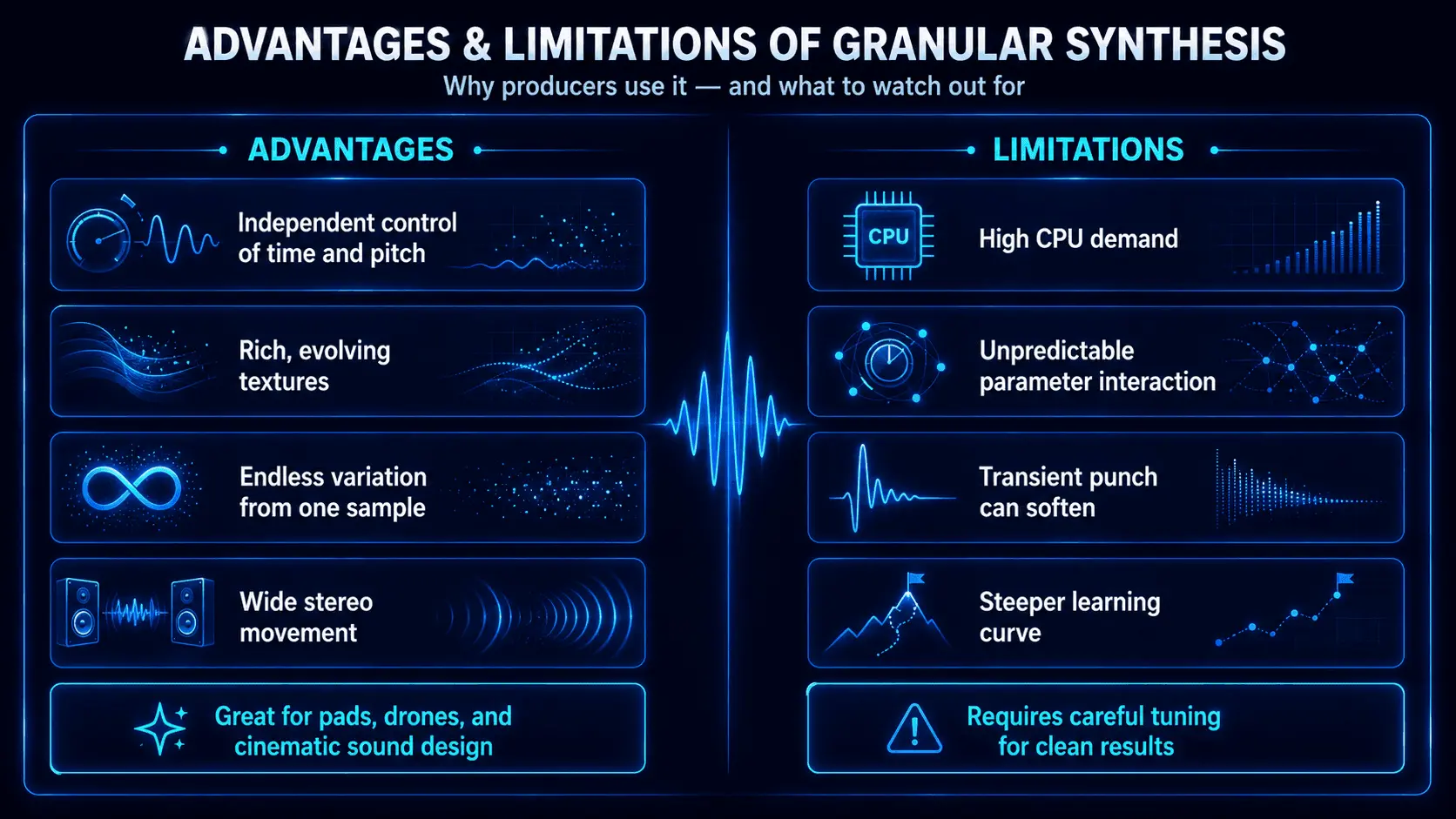
Like any sound design method, granular synthesis has its own unique set of strengths and weaknesses that you should consider before integrating it into your workflow.
Technical and Creative Advantages
- Complete Independence of Time and Pitch: Bypasses the limitations of standard sample playback, allowing you to alter a sound's speed and pitch entirely separate from one another.
- Unrivaled Texture Generation: Excels at turning brief, uninteresting sound clips into lush, complex, and evolving audio textures that are perfect for modern media scoring.
- Infinite Sound Variations: A single source sample can yield thousands of completely different sonic results simply by tweaking parameters like grain size, position, and spray.
- Exceptional Stereo Width: Stacking multiple grains and randomizing their individual panning parameters allows you to create massive, three-dimensional stereo fields without having to use standard chorus or widening plugins.
Structural and Computational Disadvantages
- Heavy CPU Demands: Generating, tracking, and applying individual amplitude envelopes to hundreds of active grains simultaneously requires an immense amount of computer processing power, which can quickly cause audio dropouts in large production projects.
- Unpredictable Results: Because granular engines rely heavily on randomization and probability distributions, dialling in a very specific musical outcome can sometimes feel difficult or unpredictable.
- Loss of Transient Punch: Processing audio on a microscale can naturally soften sharp attacks. If you aren't careful with your configuration, drum loops can quickly lose their punch, becoming mushy or washed out.
- Steep Learning Curve: The terms and parameters used in granular software can feel confusing to producers who are used to standard subtractive synthesizers, requiring time and practice to master.
Frequently Asked Questions
Why does my granular synth plugin create digital clicks, and how do I fix it?
Digital clicks occur when the grain windowing function or amplitude envelope is set incorrectly. If the entry and exit points of individual grains are too abrupt, it creates phase discontinuities that sound like harsh clicks. To fix this, increase the attack and decay times within your plugin's grain envelope settings, or choose a smoother windowing curve like a Gaussian or Hann function to ensure seamless transitions between overlapping grains.
What is the ideal sample length for loading into a granular audio engine?
There is no single correct length, but samples ranging from 5 seconds to 1 minute generally offer the best results. This length provides enough varied audio data for the file position pointer to scan across, yielding rich, evolving textures. While ultra-short samples can work, they often result in repetitive, static timbres, whereas massive files can overload your computer's RAM buffer.
How does grain size affect the overall pitch perception of a sound?
When grain sizes are set between 50 and 100 milliseconds, the engine successfully captures the natural frequency cycles of the source audio, preserving its original pitch identity. However, if you shrink the grain size down below 20 milliseconds, the window becomes shorter than a full low-frequency cycle. This causes the sound to lose its original pitch, introducing a metallic, noise-like character instead.
What is the core difference between synchronous and asynchronous granular synthesis?
Synchronous synthesis generates grains at perfectly even, periodic intervals tied to a master clock, which results in precise, rhythmic, and highly pitched sounds. Asynchronous synthesis utilizes statistical probability to scatter grains randomly across the timeline, creating smooth, continuous, and unpitched clouds of sound that are ideal for ambient backdrops.
Can I play melodies with a granular synth, or is it only useful for ambient drones?
You can absolutely use granular synthesis to play melodies. By loading a sample with a clear fundamental pitch—like a piano note or a vocal sustain—into a granular sampler, you can map the engine's internal pitch shifting parameter to your MIDI keyboard. This allows you to play chords and leads just like you would with a standard sampler, but with all the added texture and time-stretching benefits that granular processing provides.